

General Ledger
What it is for
Section titled “What it is for”General Ledger (Genel Muhasebe) is the book that collects the double-entry journal entries produced by all modules (sales, purchasing, cash/bank, stock, payroll and more). From here you follow the trial balance and the journal, manage the chart of accounts, enter manual and recurring entries, take account and customer statements, manage VAT/withholding definitions and (for North Cyprus companies) prepare the statutory books and balance sheet footnotes.
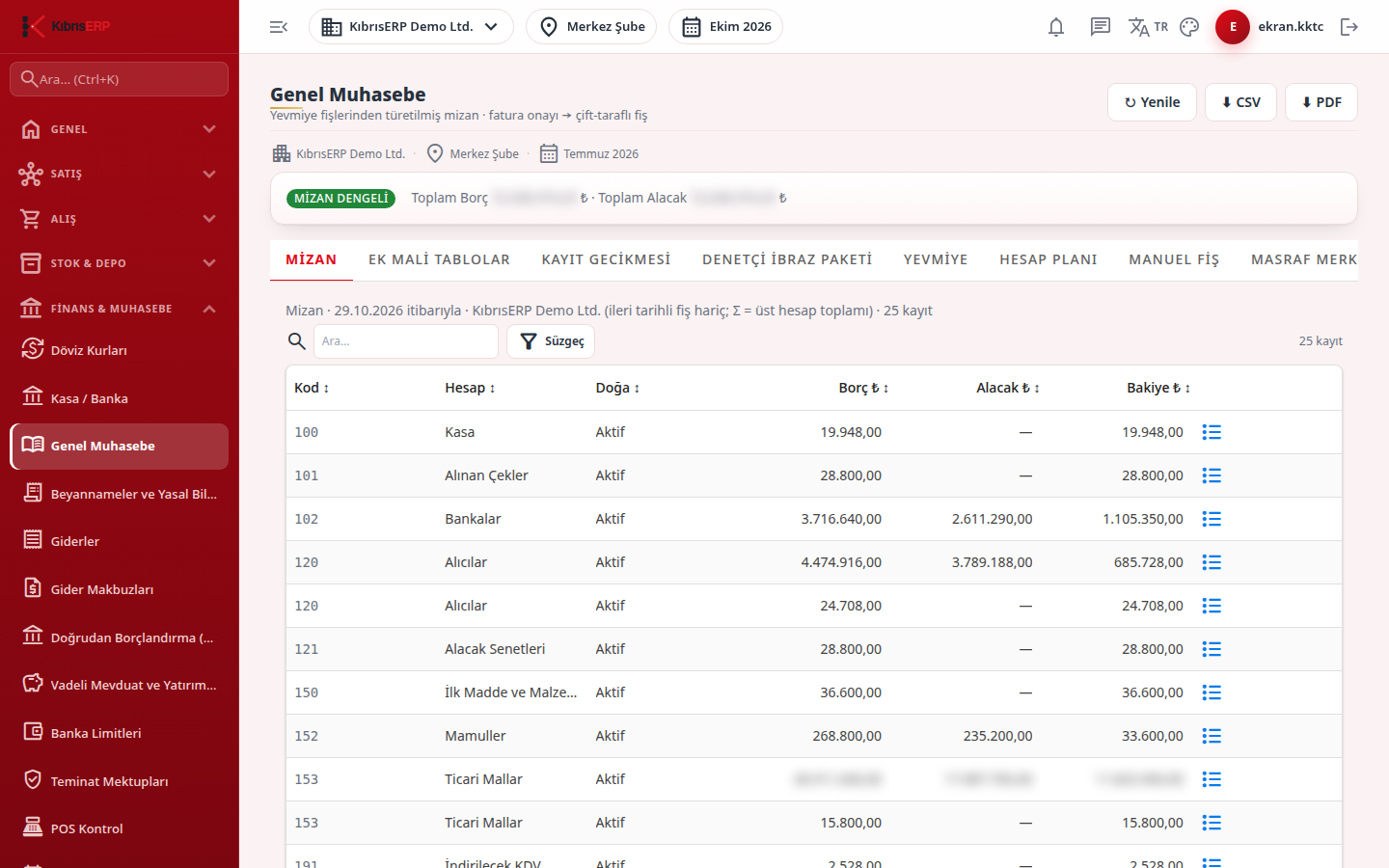
At the very top the Trial balance balanced / Trial balance UNBALANCED badge and total debit/credit always show, with Refresh, CSV and PDF buttons. Entries cannot be changed: corrections are made with a reversing entry. Rates and legal periods are not fixed in the screens; they are read from the dated rows in Settings › Parameters and stamped on the entry when it is recorded.
Who uses it
Section titled “Who uses it”Accountants, finance managers and financial advisors. The General Ledger page in Settings › Roles opens the screen (View, Add, Delete, Export). For separation of duties there are also separate permission pages: Manual Entry (Add), Entry Approval (Approve), Reversal (Add), Rate Confirmation (Approve), Period and Year-End Closing (Approve; View is also needed to see the financial record retention lock, late-payment interest and note rediscount tabs), Chart of Accounts Change (Edit), Automatic Entry Mapping (Edit), and Per-Person Salary in Payroll Entries (View; without it staff names in payroll entries are masked).
Screens
Section titled “Screens”- Trial Balance (Mizan): account-level trial balance, balance check.
- Journal (Yevmiye): entry list, reversal, draft approval.
- Chart of Accounts (Hesap Planı): open sub-accounts, active/passive.
- Manual Entry (Manuel Fiş): offset, collection, payment, opening and closing entries.
- Cost Center (Masraf Merkezi): analytical dimension and source mapping.
- Sub-Ledger (Muavin Defteri): account movements and running balance.
- Account Ageing (Cari Yaşlandırma): due buckets.
- Comparative Trial Balance (Karşılaştırmalı Mizan): two dates compared.
- Cost Center Report (Masraf Merkezi Raporu): debit/credit by center.
- Account Statement (Cari Ekstre)
- Exchange Rates (Döviz Kurları): rate definition and revaluation pointer.
- VAT / Withholding (KDV / Stopaj): VAT and withholding definitions, exemption reasons.
- Recurring Entry (Tekrarlayan Fiş): periodic entries from a template.
- Prepaid Expense (Peşin Ödenen Gider): amortization plans.
- Financial record retention lock: retention evidence (North Cyprus).
- Late-payment interest: late-payment calculation (North Cyprus).
- Note rediscount: rediscount (North Cyprus).
- Consolidated Report (Konsolide Rapor): combined trial balance of several companies.
- Official Books (Resmî Defterler): printing of statutory books (North Cyprus).
- Balance sheet footnotes (Bilanço dipnotları): mandatory notes, official balance sheet.
Typical workflow
Section titled “Typical workflow”- Open General Ledger and check on the Trial Balance tab that the balance badge is green.
- Enter missing or correcting entries on Manual Entry; use Recurring Entry and Prepaid Expense for fixed monthly entries.
- Inspect movements on Journal and Sub-Ledger; use Account Ageing and Account Statement for balances.
- Use the Declarations screen for VAT, withholding, doubtful receivables and provisional tax.
- Revalue foreign-currency items at period end in FX Revaluation, then close the period.
- At year end (North Cyprus) print the books from Official Books and take the official balance sheet from Balance sheet footnotes.
Additional tabs prepare the supplementary financial statements (cost of sales, profit distribution, changes in equity), list entries recorded after the legal recording period (late recording) and produce an auditor presentation package for a chosen period as one zip file.
Related modules
Section titled “Related modules”Step-by-step screen guides are currently available in Turkish; the links above open them.