

Quick Sale Reports
What it is for
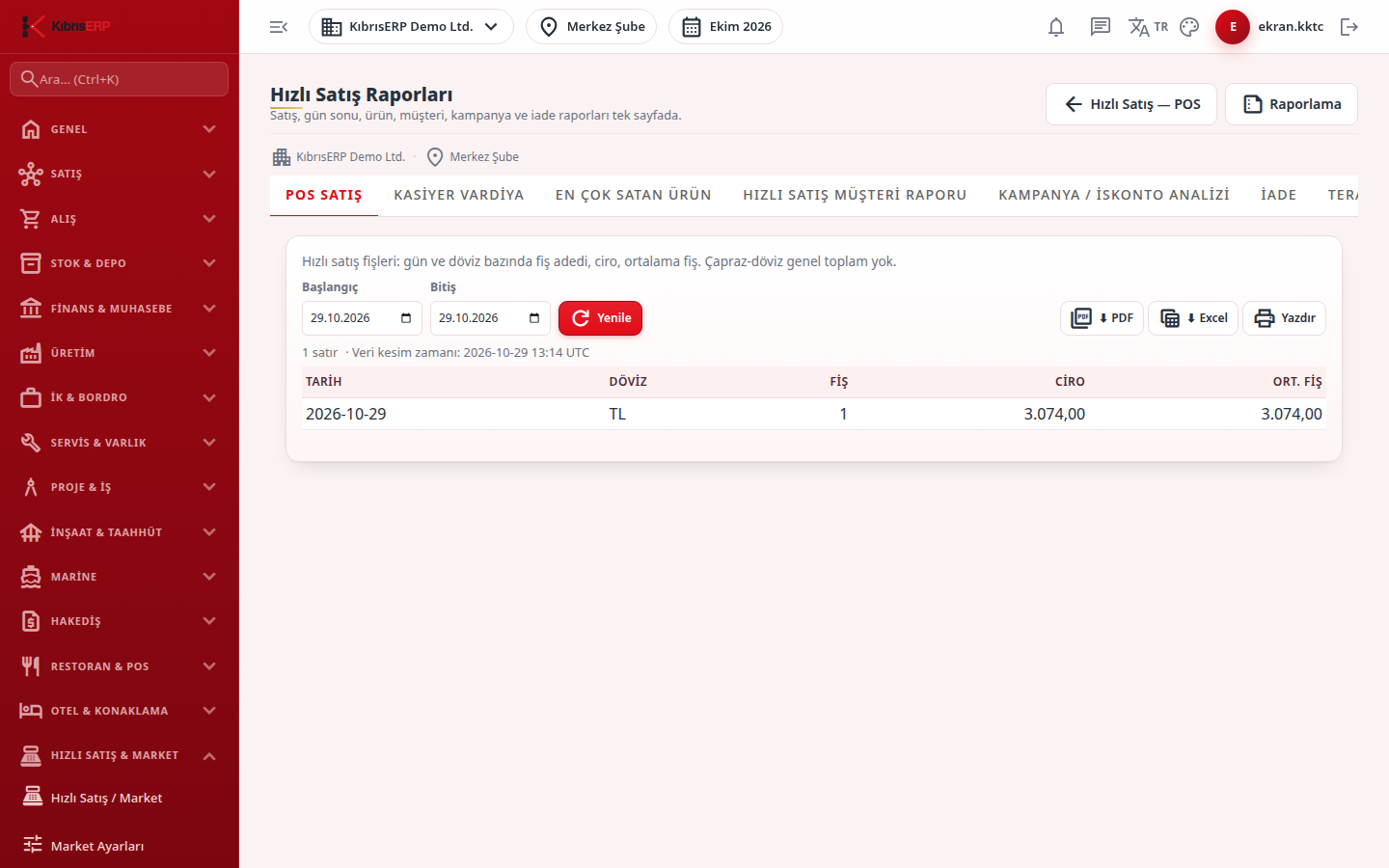
Section titled “What it is for”Quick Sale Reports (Hızlı Satış Raporları) offers the market’s sales, cashier, product, customer, campaign and return reports in tabs on a single page. Each tab uses the same panel as the central reporting screen: you choose the date range, run the report, and export the result as PDF or Excel or print it. On opening, only the open tab’s report runs.
The scope is the active branch. To read all branches together, use the central Reports screen.
Who uses it
Section titled “Who uses it”The market manager and accounting. View on the Quick Sale page of the role screen is needed.
Screens
Section titled “Screens”- POS Sales: receipts, turnover and average receipt by day and currency; different currencies are not added.
- Cashier Shift: net collection (change deducted) and total change by cashier and payment method; the basis of drawer reconciliation.
- Top Selling Products: quantity and turnover by product and currency.
- Quick Sale Customer Report: receipts, turnover, average basket and last purchase date by account and currency.
- Campaign / Discount Analysis: list amount, sales amount, discount given and its ratio by campaign, product and currency; lines without a campaign stamp are collected under “No campaign / manual discount”.
- Returns: return count, amount and receipt-less returns by day and currency.
- Scale/Barcode Sales: verifies scale barcode setup: the rules and how many products can match each rule; without a matching product the scale barcode does not work.
Typical workflow
Section titled “Typical workflow”- Pick the report tab; it runs on its own with today’s date.
- Change Start and End and press Refresh.
- Take the result with PDF, Excel or Print.
Related modules
Section titled “Related modules”Step-by-step screen guides are currently available in Turkish; the links above open them.