

HR / Payroll
What it is for
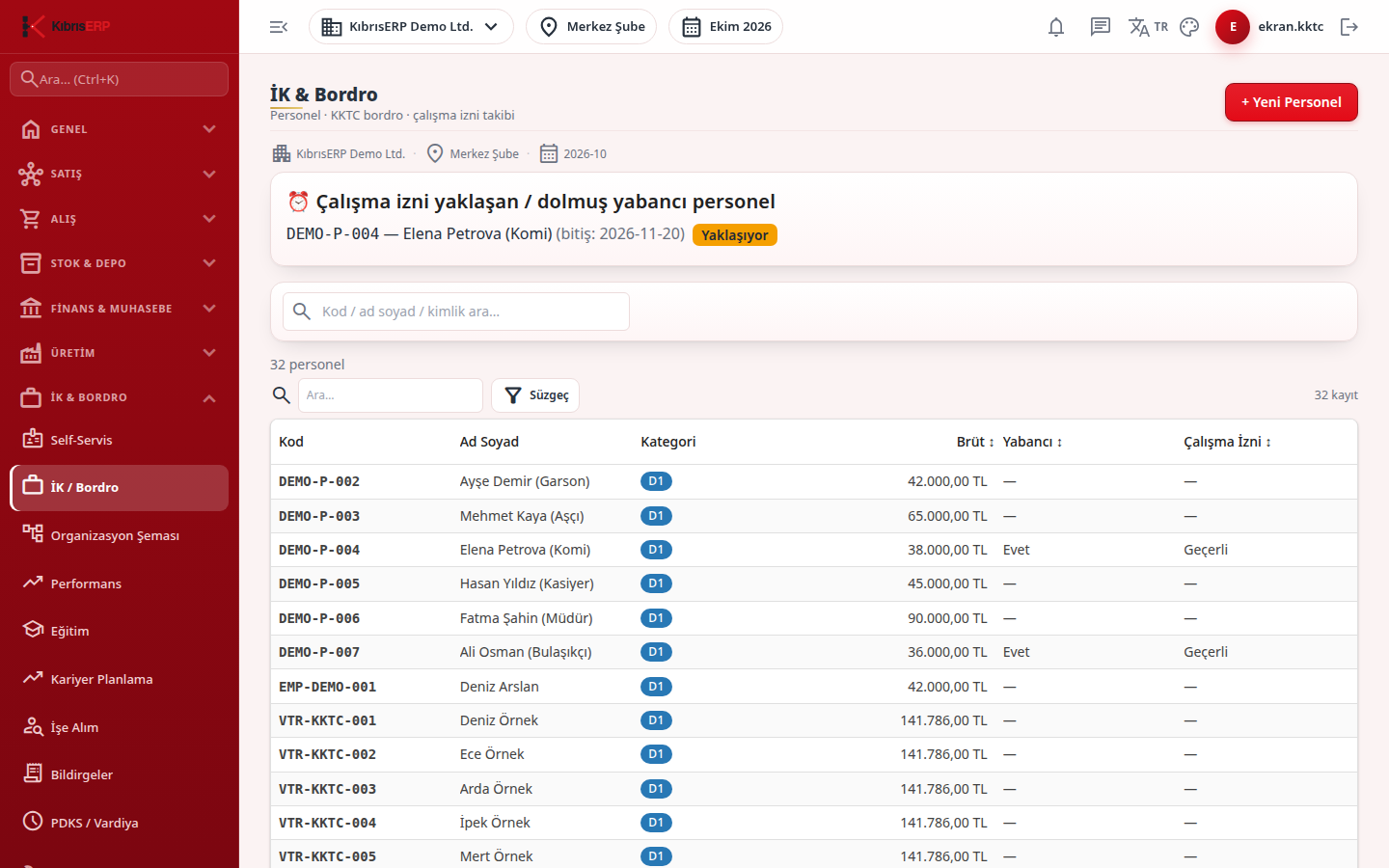
Section titled “What it is for”HR / Payroll (İK / Bordro) brings all human resources work together, from the personnel record to payroll. At the top is the personnel list, and below it the work tabs: leave, assets issued, expenses, advances, severance, notifications to authorities, onboarding wizard, work-permit alarms, organization, timesheet, extra earnings and payroll parameters. Clicking a person opens the personnel card; payroll calculation, approval and history run from inside the card.
Every rate, floor, ceiling, income tax bracket and legal period used in payroll is tied not to the pages but to dated rows in Settings › Parameters. A row has a start and end date, a source and a verification status, and a new period is added as a new row. A calculated payroll stores the values it used, so an old payroll is not recalculated when a rate later changes. If the relevant row is missing or unverified, payroll is not calculated in production and you see a clear error message. You manage these values from the Payroll Parameters tab and the Parameters screen.
For North Cyprus companies the module opens extra features: the social insurance category system (D1, D2, E1, E2, D3, H2), category-based social insurance and provident fund rules, cumulative income tax brackets, Entry/exit notifications, the Onboarding wizard, Work permits and alarms, Garnishments / Alimony & Discipline and annual leave carry-over. The numeric values of these features are read from the dated rows in the Parameters screen (example; the valid value is the dated row in Settings › Parameters).
Who uses it
Section titled “Who uses it”HR and payroll officers, the finance manager, and managers who follow their team. At least View on the Human Resources page of the role screen is needed (or Manager View to see only your team). Other permissions: Add (new personnel, onboarding wizard, extra earnings), Edit, Delete, Approve (leave, expense, advance decisions), Export and Personal Data (visibility of ID, salary, IBAN, payroll amounts and garnishment records). Operations that create cash movements and parameter editing need administrator permission.
Screens
Section titled “Screens”- Leave Management (İzin Yönetimi)
- Assets (Zimmet): equipment issued to staff.
- Expenses (Masraf)
- Advances (Avans)
- Exit / Severance (Çıkış / Tazminat)
- Entry/exit notifications (Giriş/çıkış bildirimleri)
- Onboarding wizard (İşe alım sihirbazı)
- Work permits and alarms (Çalışma izinleri ve alarmlar)
- Garnishments / Alimony & Discipline (İcra / Nafaka & Disiplin)
- Organization (Organizasyon)
- Timesheet (Puantaj)
- Extra Earnings (Ek Kazançlar)
- Payroll Parameters (Bordro Parametreleri)
Typical workflow
Section titled “Typical workflow”- Open HR / Payroll and find the person with the search box (code, name or ID).
- Add a new person with + New Personnel; in North Cyprus use the onboarding wizard for nationality-guided entry.
- Run payroll from the card’s Payroll history tab: type the period (YYYY-MM) and press Calculate. The calculation produces a draft; approve it with Approve Payroll before payment.
- Use the tabs under the list for daily work.
Related modules
Section titled “Related modules”Step-by-step screen guides are currently available in Turkish; the links above open them.