

Reservations
What it is for
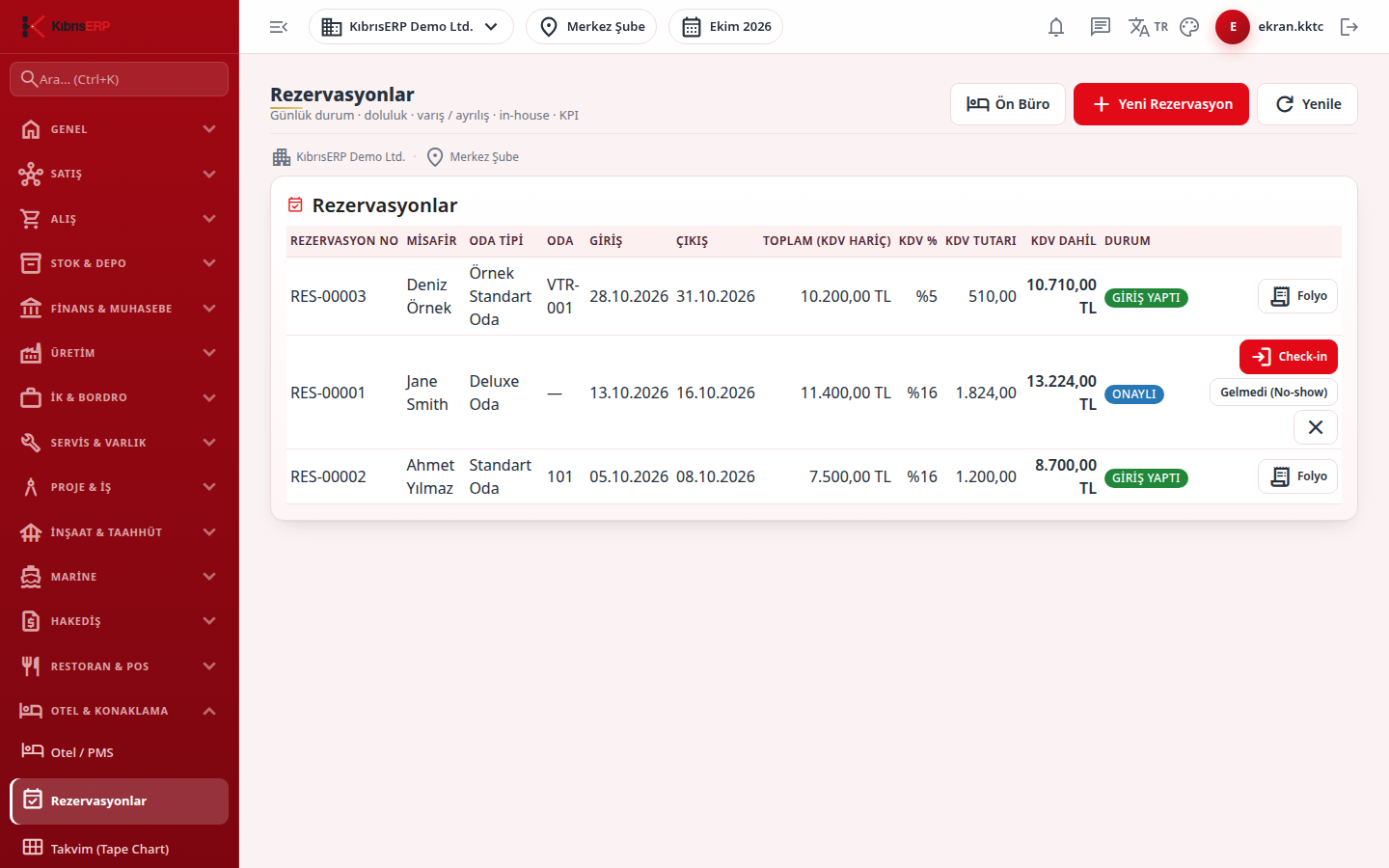
Section titled “What it is for”On this screen you list the branch’s reservations, open a new one, check a guest in, cancel it, or mark it No-show (Gelmedi). A checked-in reservation opens a Folio (the guest account); you add extra charges and collections to it, and finally cut a sales invoice with Check-out.
The reservation amount is added night by night from the rate plan and rate calendar and shown excluding VAT, beside the VAT rate, VAT amount and amount including VAT.
Who uses it
Section titled “Who uses it”Reception and reservation staff. On the Hotel Management page of the role screen, View opens the list, Add shows New Reservation, and Edit shows the check-in, cancel, no-show, folio line and check-out buttons.
Screens
Section titled “Screens”- Reservation list with row actions: Check-in, No-show, cancel (asks for confirmation) and Folio.
- New Reservation: guest, room type, rate plan, arrival and departure dates, adults and children, board, currency and channel; Check availability shows “N available rooms” and without one the reservation is not created.
- Folio: lines with amount excluding VAT, rate, VAT and amount including VAT; Balance (incl. VAT) at the top right; Add Extra and Add Collection with description, amount and VAT band.
- Check-out: after confirmation the invoice is cut, the folio closes and cannot be changed, and the room becomes Dirty.
Typical workflow
Section titled “Typical workflow”- Press New Reservation, fill the form and check availability. The reservation opens as Confirmed; the room is assigned at check-in.
- On arrival press Check-in; a free room is assigned and a Folio opens with the first night written automatically.
- Add extra charges and collections to the folio during the stay.
- Press Check-out and confirm.
Related modules
Section titled “Related modules”Step-by-step screen guides are currently available in Turkish; the links above open them.