

What it is for
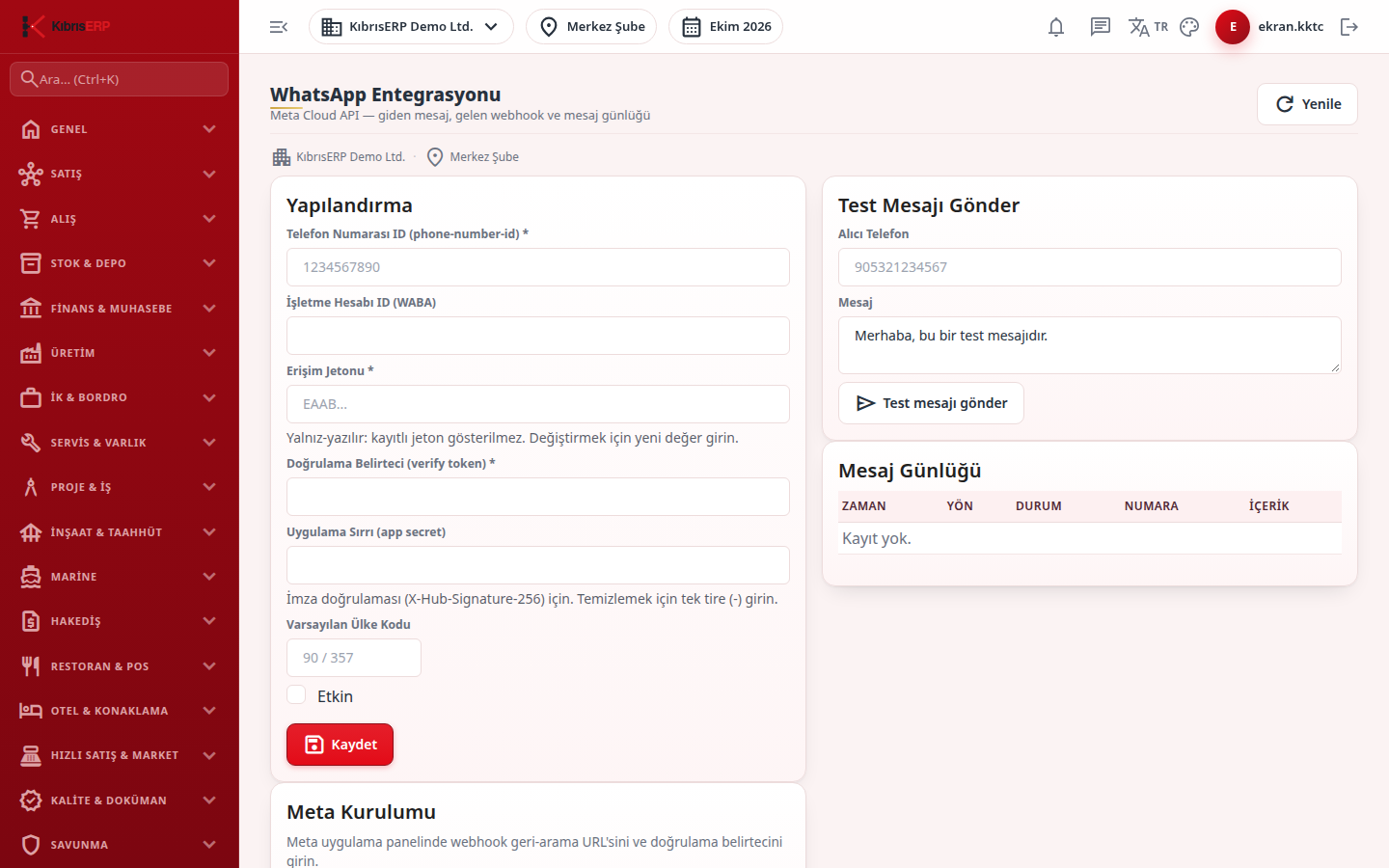
Section titled “What it is for”WhatsApp Integration connects the company’s Meta (WhatsApp Business Cloud API) line to KıbrısERP. Here you save the phone number ID, access token, verify token and app secret, see the callback address to enter in Meta, send a test message and follow the log of the last 50 messages. After setup the WhatsApp Chat screen works.
Who uses it
Section titled “Who uses it”The system administrator. The screen opens for an administrator or for someone with View on the Settings row of role page permissions. Saving and sending a test message do not ask for separate Edit / Add permission; anyone who can open the screen can change the setting, so keep this permission narrow.
Screens
Section titled “Screens”- Configuration card (Yapılandırma): phone number ID (required), business account ID (WABA), access token, verify token (required) and the app secret. The token and app secret are write-only: if saved the field shows ”… saved” and the value is never shown again; leave blank to keep the existing value.
- Meta Setup card: copy the Callback URL and Verify Token into the webhook setting of the Meta app panel.
- Send Test Message card: recipient phone and message; the result reads “Test message sent.” or “Send failed” with the error detail.
- Message Log: the last 50 messages with time, direction (incoming / outgoing), status, number and content, and the error text under it if any.
Related modules
Section titled “Related modules”Step-by-step screen guides are currently available in Turkish; the links above open them.