

Users
What it is for
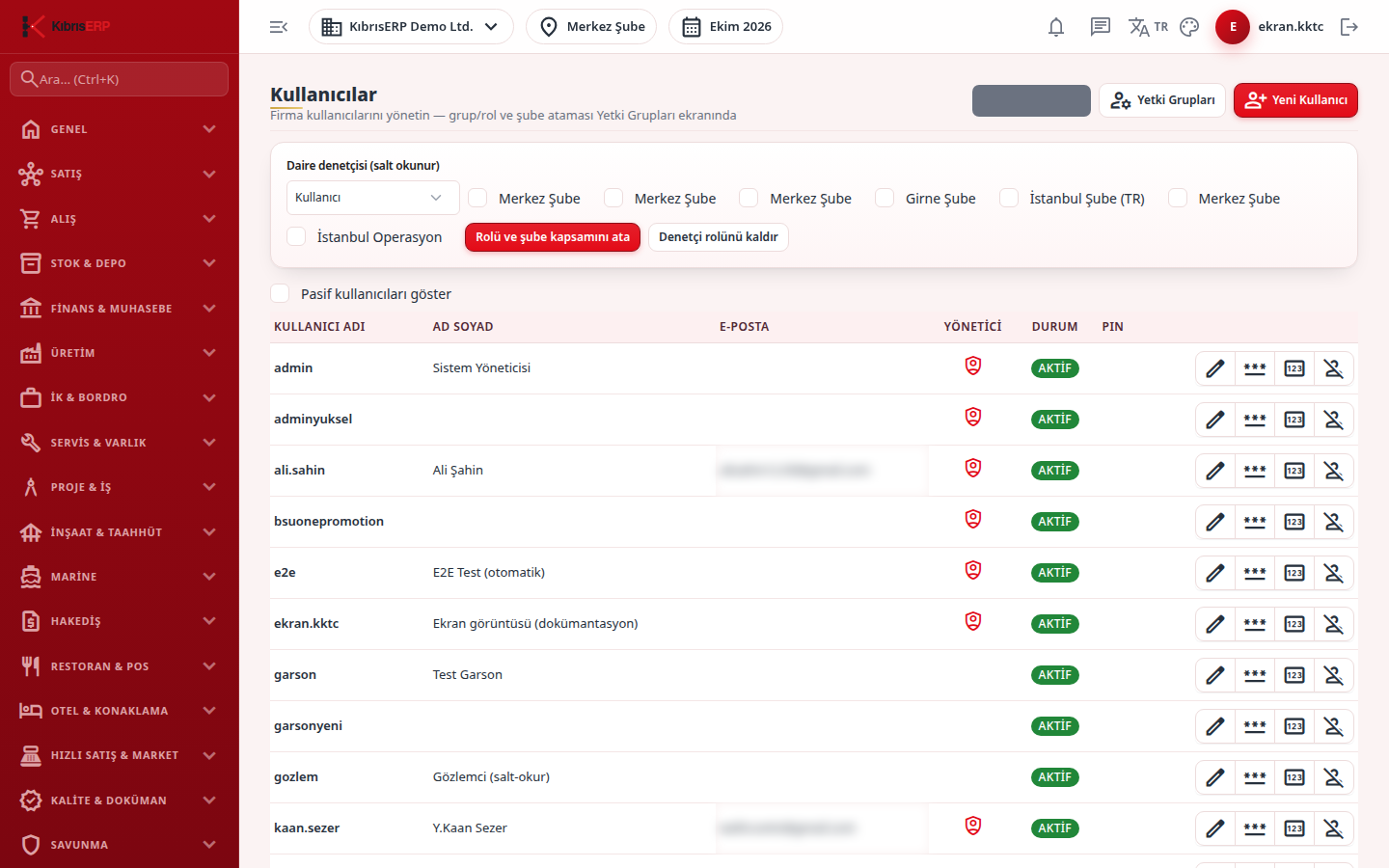
Section titled “What it is for”On Users (Kullanıcılar) you open and manage the accounts of the people who will use the program: user name, full name, e-mail, password, POS quick sign-in PIN, administrator authority, active state and account lock. Role, group and branch permission are not given on this screen; they are on the Permission Groups screen.
Who uses it
Section titled “Who uses it”Administrators and users with View on the User Management page. Add on the same page is needed to open a new user and Edit to change an existing one. Only an administrator can change an administrator account.
Screens
Section titled “Screens”- User table: a Status badge for Active, Inactive or Locked; an option shows inactive users.
- New User: user name, full name, e-mail and password (at least 6 characters); optionally a position (ready permission group); the administrator flag. Give role and branch permission with the Permission Groups button at the top right by making the user a member of the group.
- Row actions: Edit (name, e-mail and administrator flag; the user name does not change later), Reset Password, Assign PIN (a 4 to 8 digit numeric PIN for POS quick sign-in, unique within the company) and Remove PIN, Unlock (opens an account locked by repeated wrong sign-ins) and Deactivate / Activate.
Related modules
Section titled “Related modules”Step-by-step screen guides are currently available in Turkish; the links above open them.