

Marine Budget
What it is for
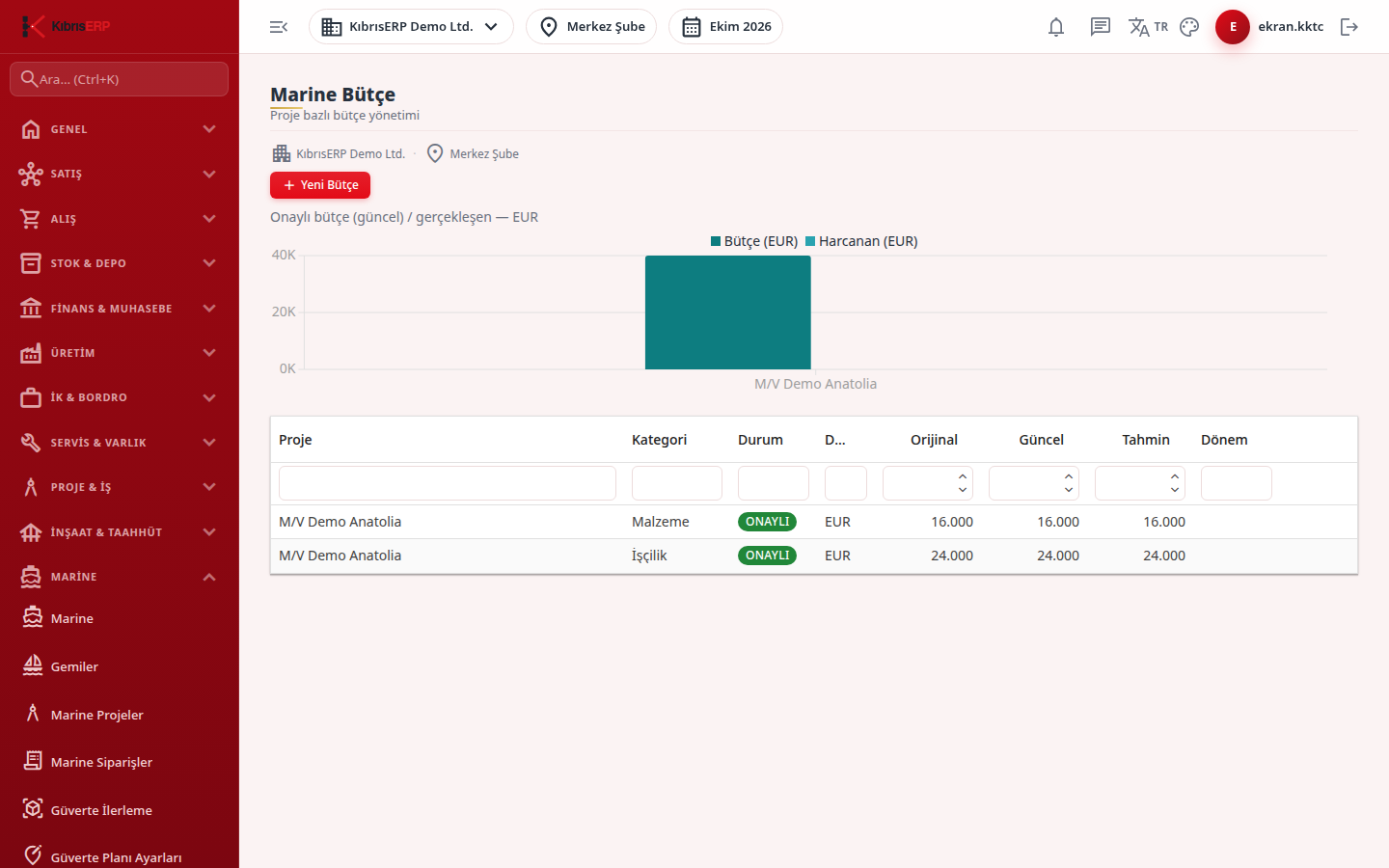
Section titled “What it is for”Marine Budget records budget items (category, period, currency, original / current / forecast amount) for a Marine project and shows, above the table, a chart comparing the approved budget with actual cost.
In the end-to-end flow this screen is the planned side of cost: the actual records on the Marine Costs screen are compared with the approved budget here, and the result shows in the Portfolio Dashboard and the budget indicators on the project detail.
Important limits:
- Every budget item you add on this screen is born as a Draft. The Status field is read-only; there is no approve or revise button.
- The chart and the Portfolio indicators count only Approved budgets. Draft items do not enter these comparisons.
- An item in Approved or Revised status cannot be changed or deleted from this screen.
- Amounts in different currencies are not added or converted; each currency is shown in its own chart.
In this version no screen or action moves a budget item from Draft to Approved; the product message says so (“An Approved/Revised budget cannot be changed or deleted from this screen; an authorized approval/revision flow is not defined.”). Newly entered items therefore stay out of the comparison chart and the Portfolio indicators until an approval flow is added.
Who uses it
Section titled “Who uses it”Project managers and project control staff. On the Marine page of the role screen: View to see the screen, Add for a new item, Edit to change, Delete to remove. Permissions are checked again on every action.
Screens
Section titled “Screens”- New Budget (Yeni Bütçe): project, category, currency and period (free text, for example 2026-H1), original, current and forecast amounts, and notes.
- Budget table: pencil icon to edit and Update, trash icon to delete after confirmation.
- Charts: one per currency, titled “Approved budget (current) / actual - {currency}”, with Budget and Spent columns per project.
Related modules
Section titled “Related modules”Step-by-step screen guides are currently available in Turkish; the links above open them.