

Reservations
What it is for
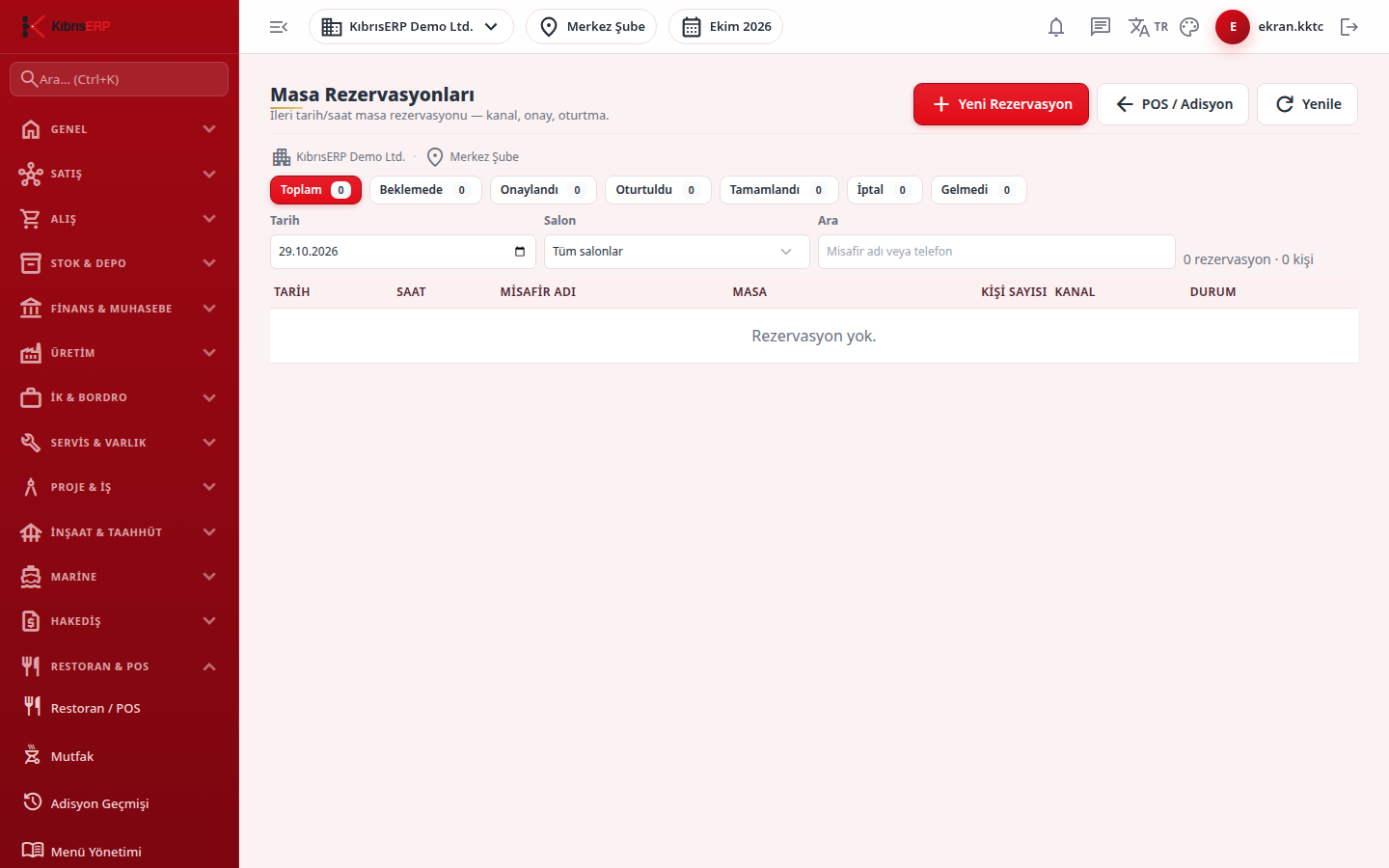
Section titled “What it is for”On Reservations you take table reservations for a later date and time. A reservation can come by phone, walk-in or an online channel. The record starts as Pending (or Confirmed if auto confirmation is on); when the guest arrives you seat them with Seat and a check is opened; a guest who does not come is marked No-show, and one who withdraws Cancel. A second reservation cannot be taken for the same table at an overlapping time, and a dated buffer time is added to the overlap check. A reserved table appears with a Reserved badge on the table plan.
Who uses it
Section titled “Who uses it”The host, the cashier and the restaurant manager. On the Restaurant / Order page of the role screen: View opens the list; a new reservation needs Add; confirm / seat / cancel need Edit (Edit includes Add).
Screens
Section titled “Screens”- New Reservation: guest name, phone, table, date, number of guests, time, optional end time, channel (walk-in, online, phone) and e-mail.
- Filters: date, hall and a search box (guest name or phone); status buttons for totals, pending, confirmed and seated.
- Row buttons: Confirm (for a pending reservation), Seat (when the table is defined; the message “Guest seated” appears and Go to check opens the order screen), No-show and Cancel. The status of a no-show, cancelled or completed reservation does not change.
Related modules
Section titled “Related modules”Step-by-step screen guides are currently available in Turkish; the links above open them.