

Expenses
What it is for
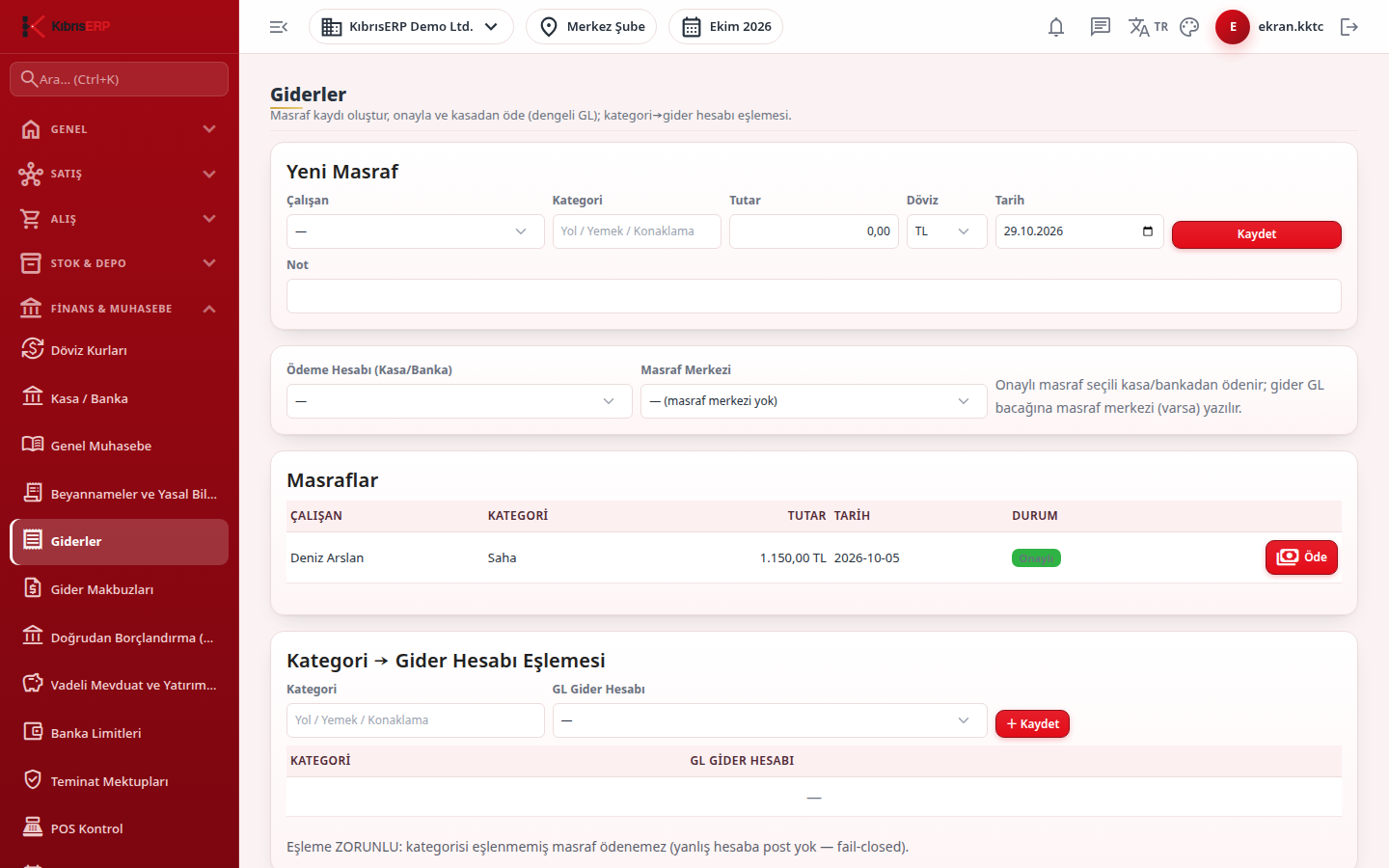
Section titled “What it is for”Expenses (Giderler) is the finance side of expenses incurred by employees: you record the expense, an authorized person approves or rejects it, and an approved expense is paid from a selected cash or bank account. At payment a real cash/bank outflow and a balanced accounting entry are created (debit the expense account, credit cash/bank; if a cost center is chosen it is written to the expense line). In the lower part of the screen you map each expense category to the expense account it is written to.
Who uses it
Section titled “Who uses it”- Recording an expense: a user with Add on the Cash & Bank or Human Resources page.
- Approving: a user with Approve on either page.
- Seeing the screen: View on either page; without it you see “You do not have permission to view this page.”
- Paying and changing the category mapping: administrators only; the payment account card, the Pay button and the Category to Expense Account Mapping section are visible to the administrator.
Screens
Section titled “Screens”- New Expense (Yeni Masraf): employee, category, amount, currency, date and an optional note.
- Expenses list: approve (tick) or reject (cross) buttons next to each request, each with a confirmation question.
- Payment account and cost center: for the administrator, the cash/bank account to pay from and an optional cost center.
- Pay (Öde): confirm the question; the expense is paid and the financial entry is created.
- Category → Expense Account Mapping: type a category, choose the ledger expense account and save.
Related modules
Section titled “Related modules”Step-by-step screen guides are currently available in Turkish; the links above open them.