

Marina Berths
What it is for
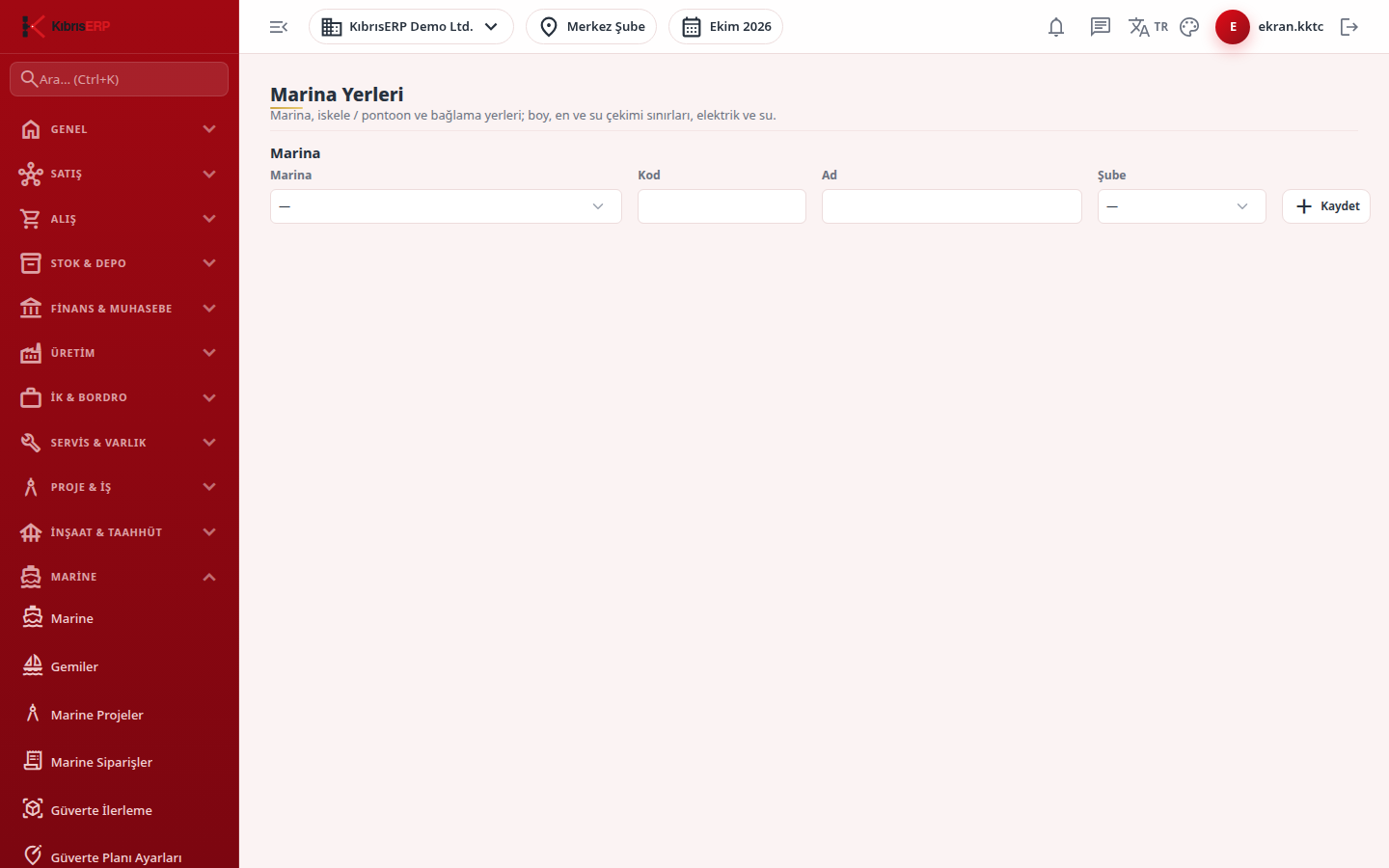
Section titled “What it is for”On this screen you define your marinas and the berths (boat spaces on a jetty or pontoon) in each marina. For each berth the maximum length, beam and draft a boat can have are recorded, and whether electricity and water are available. The Berth Reservations screen compares a boat with these limits when reserving.
There is no price on this screen. The berthing fee is calculated from the dated tariff row on the Berthing Tariffs screen.
Who uses it
Section titled “Who uses it”The marina operations officer and reservation staff. On the Marine page in Settings › Roles: View to see the screen, Add to add a marina and open a new berth, Edit to change an existing berth.
Screens
Section titled “Screens”- Marina: code, name and branch; this row is visible only to those with Add permission.
- Berths list: pontoon, berth code, limits, service icons and status; with no berths it reads “This marina has no berths yet”.
- New berth: pontoon, berth code and maximum length (m); optionally maximum beam and draft, and the utility options.
- Edit: the row’s Edit button fills the form; save or cancel.
- In use box: clear it and save to close a berth temporarily; it shows Closed and is not open to reservations.
Related modules
Section titled “Related modules”Step-by-step screen guides are currently available in Turkish; the links above open them.