

Loyalty / Points
What it is for
Section titled “What it is for”The Loyalty / Points Program (Sadakat / Puan Programı) lets you award customers points on the sales amount, let them use the accumulated points as a discount, and correct balances by hand when needed. Each customer’s point balance and all movements (earning, use, adjustment, expiry) are kept as a trail that is never deleted. The program is switched on and off per branch.
Who uses it
Section titled “Who uses it”Sales managers and store and CRM officers. Permission is on the CRM row of role page permissions: View shows balances and movements; Edit is needed to save the setting and to award, use or adjust points.
Screens
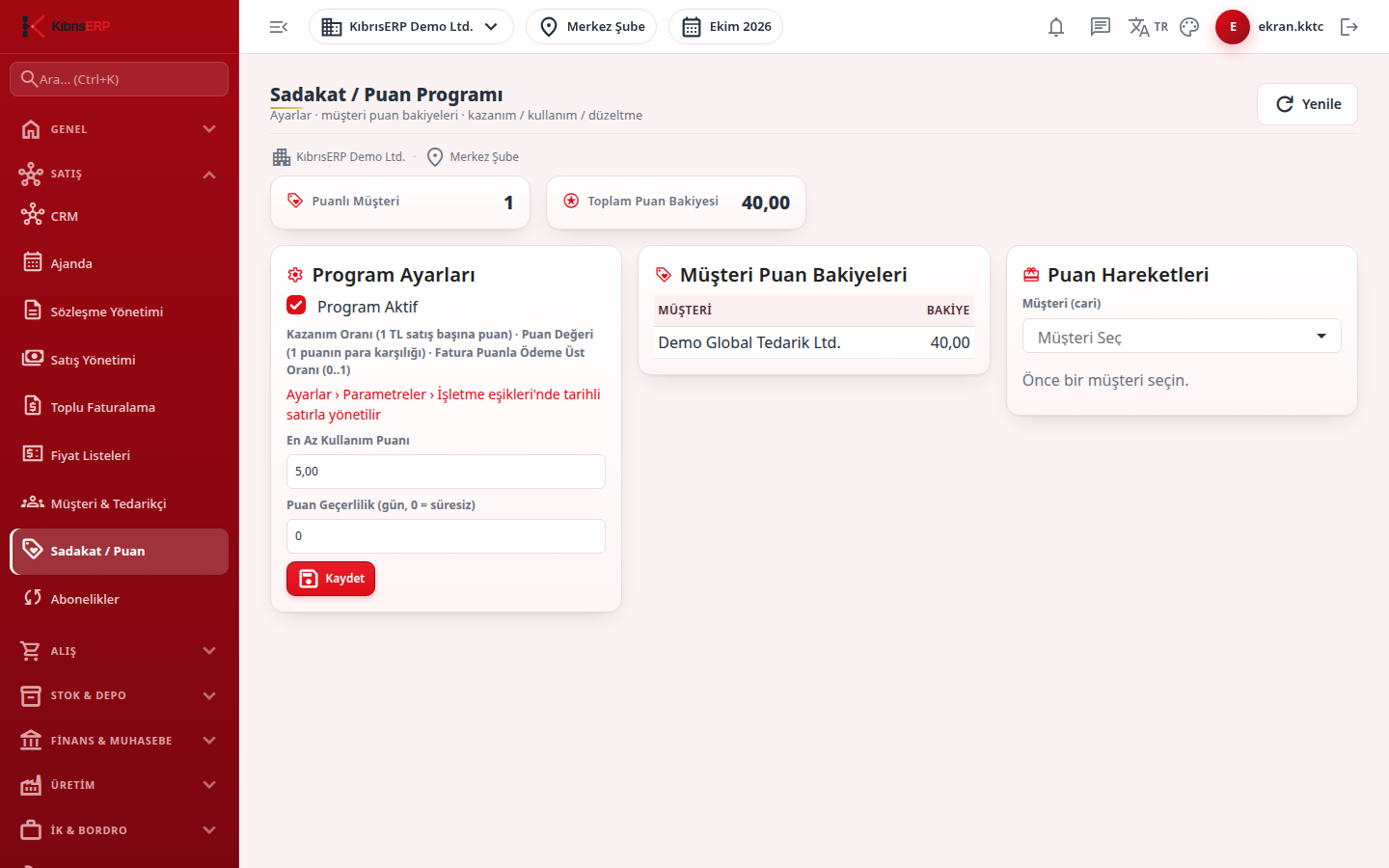
Section titled “Screens”- Summary cards: number of customers with points (Puanlı Müşteri) and total point balance.
- Program Settings (Program Ayarları): switch the program on, minimum points to redeem, and point validity in days (0 = never expires).
- Customer Point Balances: click a row to select the customer.
- Point Movements (Puan Hareketleri): choose the customer, then Earn Points (from a sales amount; the points follow the earning rate valid on the day, rounded to two decimals), Use Points (shows the money equivalent at the valid point value) or Manual Adjust (plus or minus; the balance cannot go negative).
- Movement table: date, type (earning, use, adjustment, expiry) and points, newest first; negative points are red.
Related modules
Section titled “Related modules”Step-by-step screen guides are currently available in Turkish; the links above open them.