

Berth Tariffs
What it is for
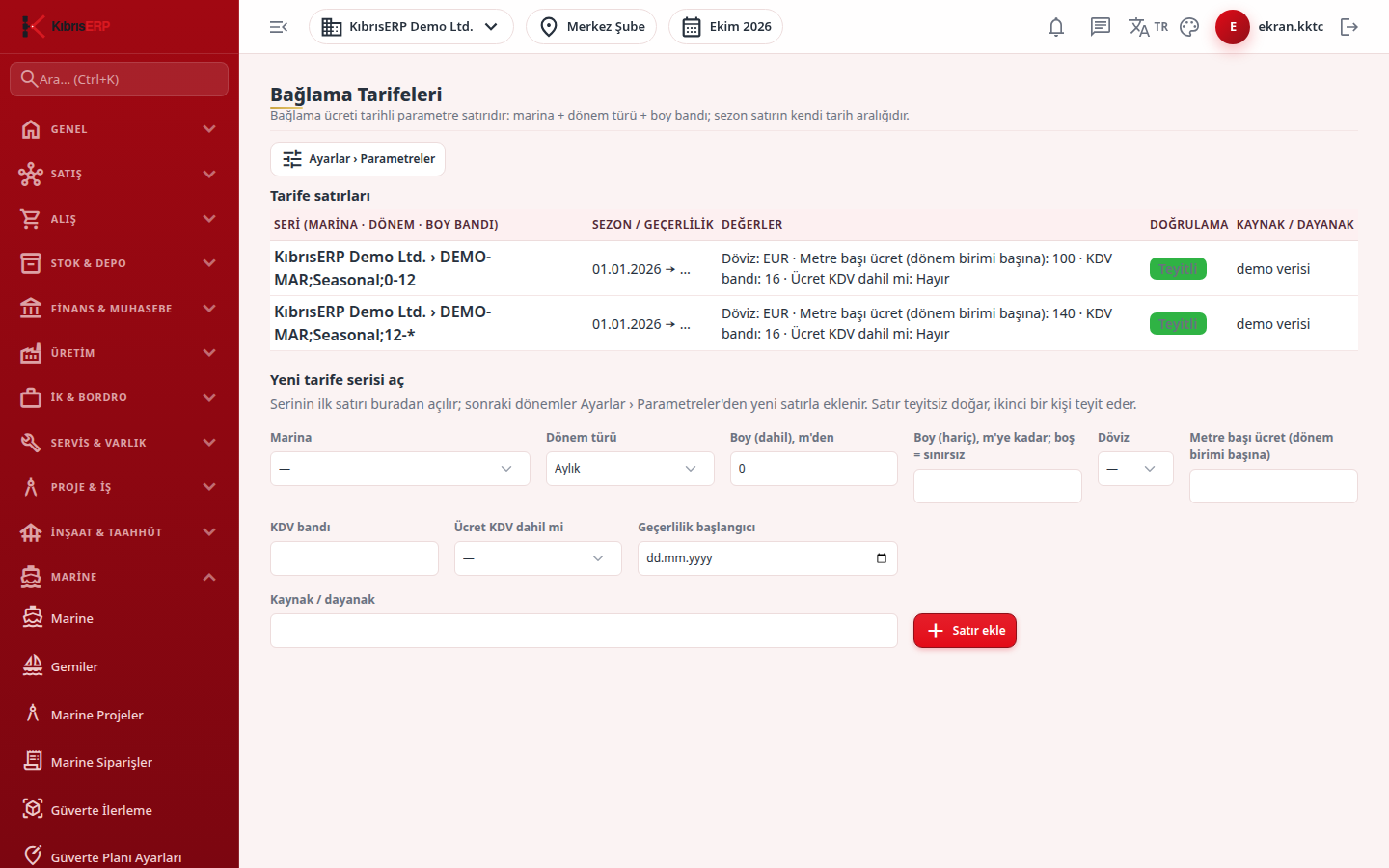
Section titled “What it is for”Berthing fees in the marina are not fixed in the product; they are kept as dated rows in the Marina berthing tariffs table under Settings › Parameters. This screen lists those rows read-only and lets you open the first row of a new tariff series. Later periods are added from the Parameters screen as new rows.
A tariff series is defined by three things: marina, period type (daily, monthly, seasonal, yearly) and length band (the boat’s overall length). The season is the row’s own validity date range. The fee is given per meter: boat length times fee per meter times the number of period units. A calculation example is on the Berth Reservations page.
In North Cyprus the VAT band field takes one of the country’s VAT bands; the example bands are 0, 5, 10, 16 and 20 (example; the valid value is the dated row in Settings › Parameters › VAT Rates). The invoice line carries only the band; the invoice calculation reads the rate from the country VAT parameter.
Who uses it
Section titled “Who uses it”The manager responsible for marina pricing, and accounting. Two separate permissions apply:
- To see the screen and the row list: View on the Marine page in Settings › Roles.
- The Open new tariff series section is visible only to those with Add on the Settings - Parameters page.
- To confirm a row with Confirm, Approve on the Settings - Parameters page is needed, and the confirmer must differ from the person who entered the row.
Screens
Section titled “Screens”- Tariff rows list: series (marina, period, length band), season / validity (start to end; an open end shows as ”…”), and values (currency, fee per meter, VAT).
- Open new tariff series: marina, period type, length from (inclusive) and to (exclusive; empty = no upper limit), currency, fee per meter (per period unit), VAT band, whether the fee includes VAT (Yes / No), valid-from date and the source / basis text (such as a price list or board decision, with date and number); then Add row.
Typical workflow
Section titled “Typical workflow”- Review the Tariff rows list.
- For a new marina, period or length band, fill in Open new tariff series and press Add row.
- The row is Awaiting confirmation; a different authorized user presses Confirm on the Marina berthing tariffs tab in Settings › Parameters › Marine.
- When prices change, do not edit the existing row; add a new row for the same series with New period in Parameters. The earlier open period closes at the start of the new one.
Related modules
Section titled “Related modules”Step-by-step screen guides are currently available in Turkish; the links above open them.