

Vessels
What it is for
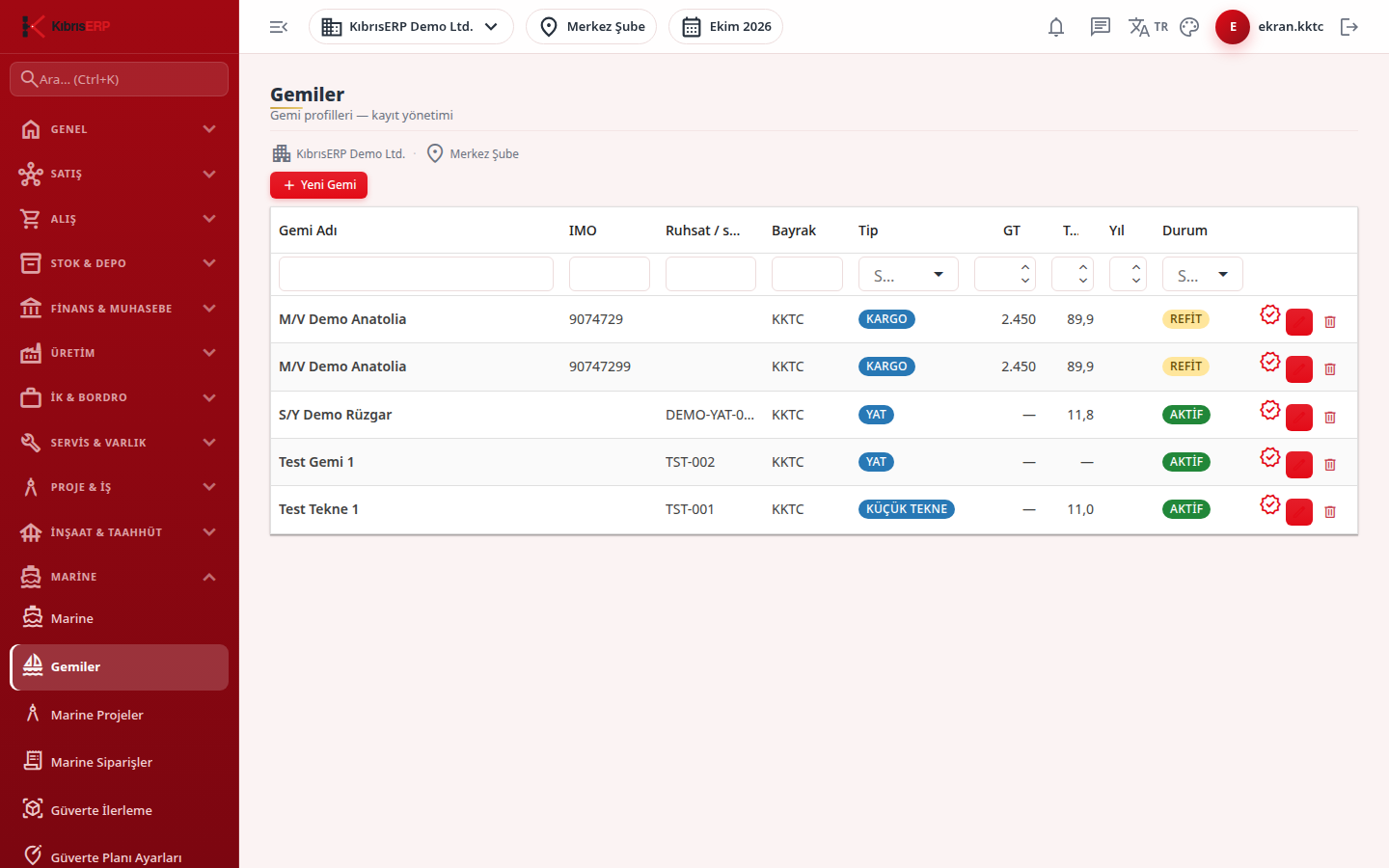
Section titled “What it is for”Vessels (Gemiler) keeps the identity and technical card of vessels undergoing maintenance, refit or new build at the shipyard. Marine projects, certificates, surveys, the docking calendar, crew and the deck plan are all linked to this vessel record, so the first step of a shipyard project is to register the vessel.
Who uses it
Section titled “Who uses it”Shipyard planning and project office staff. On the Marine page of the role screen, View (list), Add (new vessel), Edit (update) and Delete are checked separately.
Screens
Section titled “Screens”- Vessel list: with a badge icon on each row that opens the vessel’s certificate list.
- New Vessel (Yeni Gemi Ekle): choose the vessel type first, since the identity requirements depend on the type; then vessel name, IMO number or license / registry number, and flag. Also status, builder, year built, dimensions and tonnage.
- Edit Vessel: pencil icon, then Update.
- Delete: trash icon with confirmation; refused if records are linked to the vessel.
Related modules
Section titled “Related modules”- Marine
- Marine Projects
- Vessel Certificates
- Survey Calendar
- Docking Calendar
- Crew & Minimum Outfitting
- Deck Plan Settings
Step-by-step screen guides are currently available in Turkish; the links above open them.