

e-Invoice / e-Document
What it is for
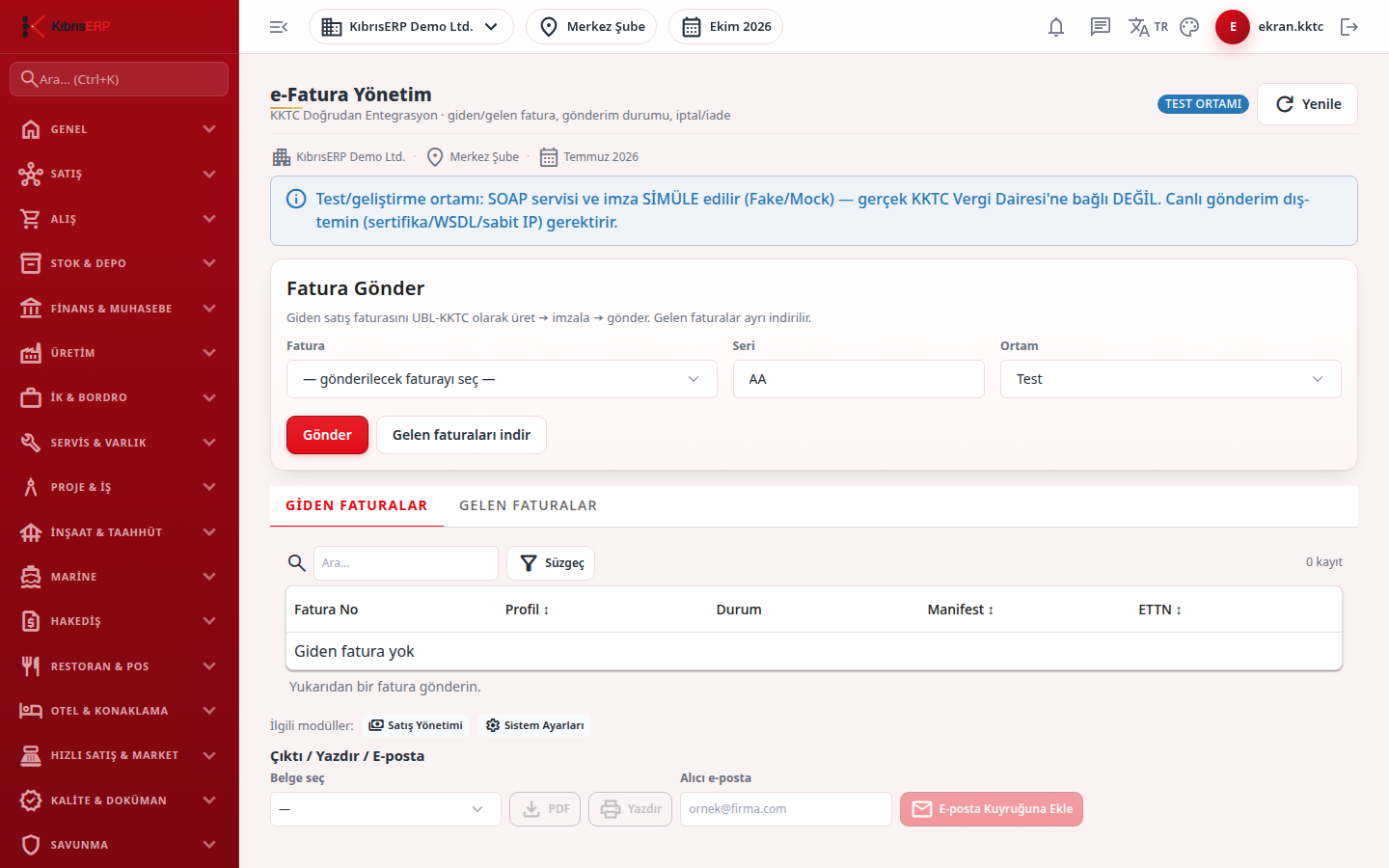
Section titled “What it is for”E-Invoice Management (e-Fatura Yönetim; e-Fatura / e-Belge in the menu) is used to send sales invoices as electronic invoices, follow their acceptance status, cancel an accepted invoice or issue a return (credit note), and download incoming invoices. Sending is done from the Send Invoice card at the top; the Outgoing Invoices and Incoming Invoices tabs below show the status.
In North Cyprus, e-Invoice works through the Tax Department’s direct integration service. The invoice is produced as UBL XML adapted to North Cyprus, validated, electronically signed and uploaded as a zip package to the Tax Department service; then the package and document status are queried. Sending and downloading work live only when external requirements such as the certificate, service access and the registered fixed IP are configured; if they are not, the screen shows a warning box at the top and never produces a fake “Accepted”.
This package is currently in Pending status (waiting for outside information or approval).
Who uses it
Section titled “Who uses it”Accounting staff and the company manager. Permission is given on the E-Invoice page of the role screen: View opens the screen, Add allows sending, cancelling, returning and downloading incoming invoices.
Screens
Section titled “Screens”- Send Invoice card (Fatura Gönder): pick an invoice and press Send; Download incoming invoices.
- Outgoing Invoices (Giden Faturalar): sending status, manifest, status history, cancellation and return.
- Incoming Invoices (Gelen Faturalar): downloaded incoming invoices.
If you open an invoice in Sales Management and choose E-Invoice from the actions strip, this screen opens with that invoice’s outgoing record selected.
Related modules
Section titled “Related modules”Step-by-step screen guides are currently available in Turkish; the links above open them.