

Rooms & Housekeeping
What it is for
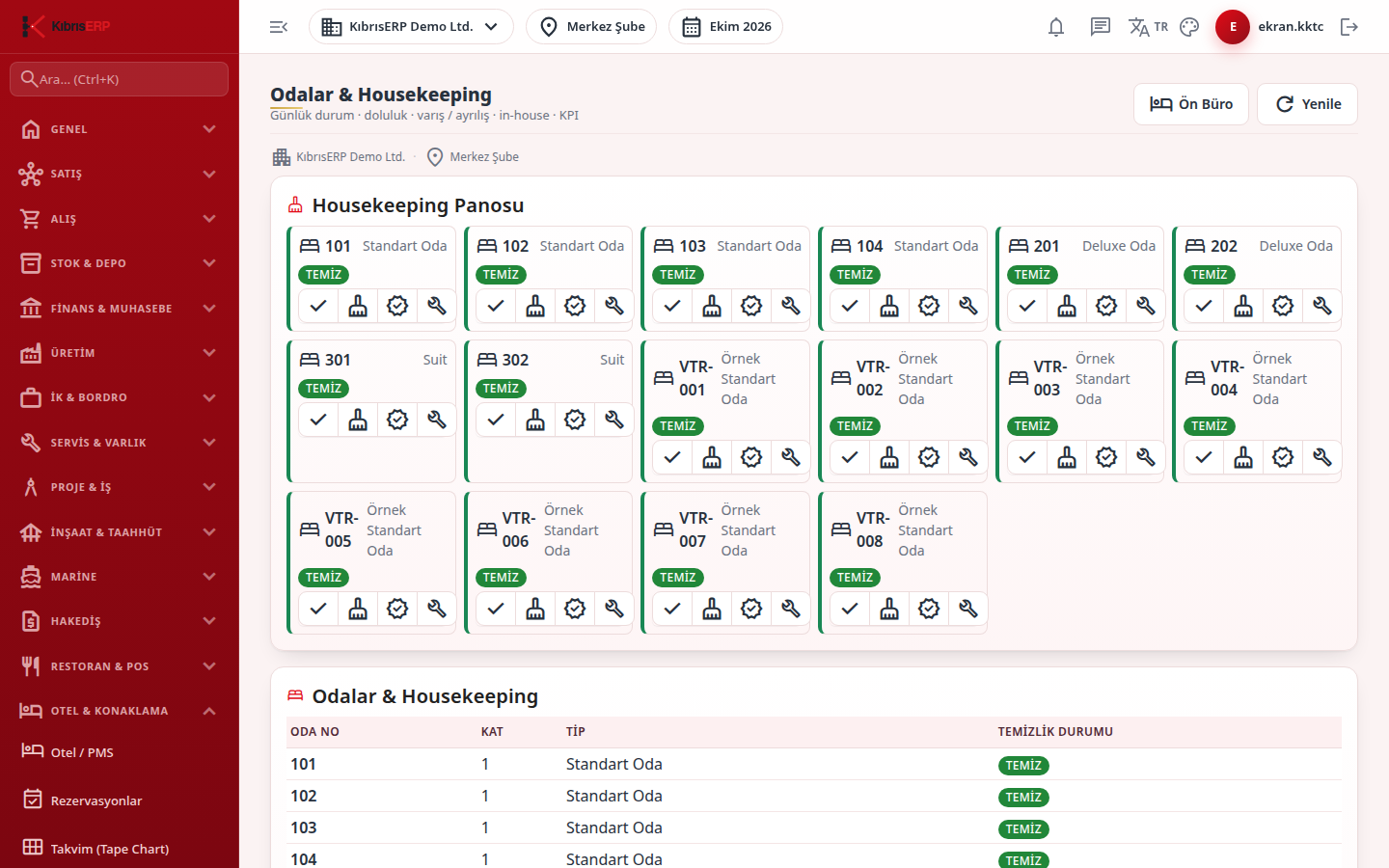
Section titled “What it is for”Rooms & Housekeeping lists all rooms of the branch with their floor and room type and shows the cleaning status of each. The housekeeping officer marks a room Clean, Dirty, Inspected or Out of Service. At check-out the system marks the room Dirty and opens a departure cleaning task (if the room is Out of Service its status does not change).
Who uses it
Section titled “Who uses it”The housekeeping officer and reception. On the Hotel Management page of the role screen, View opens the screen and Edit is needed for the status buttons.
Screens
Section titled “Screens”- Housekeeping Board (Housekeeping Panosu): each room is a card with room number, room type and a colored status badge; with Edit permission, buttons under the card change the status.
- Rooms & Housekeeping table: room number, floor, type and cleaning status for all rooms, including inactive ones.
Related modules
Section titled “Related modules”Step-by-step screen guides are currently available in Turkish; the links above open them.