

Customers & Suppliers
What it is for
Section titled “What it is for”Customers & Suppliers (Müşteri & Tedarikçi) keeps the cards of every person and company you trade with in one place. One card can be both customer and supplier, so you never open two. The card holds identity and tax details, address, balance, statement, document history, risk limit, customer-specific discount, installment plan and an e-document readiness check.
The balance is not typed in; it is derived from the account movements, so you see a separate balance for each currency.
Who uses it
Section titled “Who uses it”Sales, purchasing and accounting staff and the company manager. Permission is granted on the Accounts page of the role screen: View (list and cards), Add (new cards, installment plans, collecting and paying installments), Edit (edit cards, risk limit and customer group), Delete and a personal data permission (its label depends on the country) for bank/IBAN details and unmasked personal data in a privacy export. The Pricing tab also needs at least View on the Documents page.
Screens
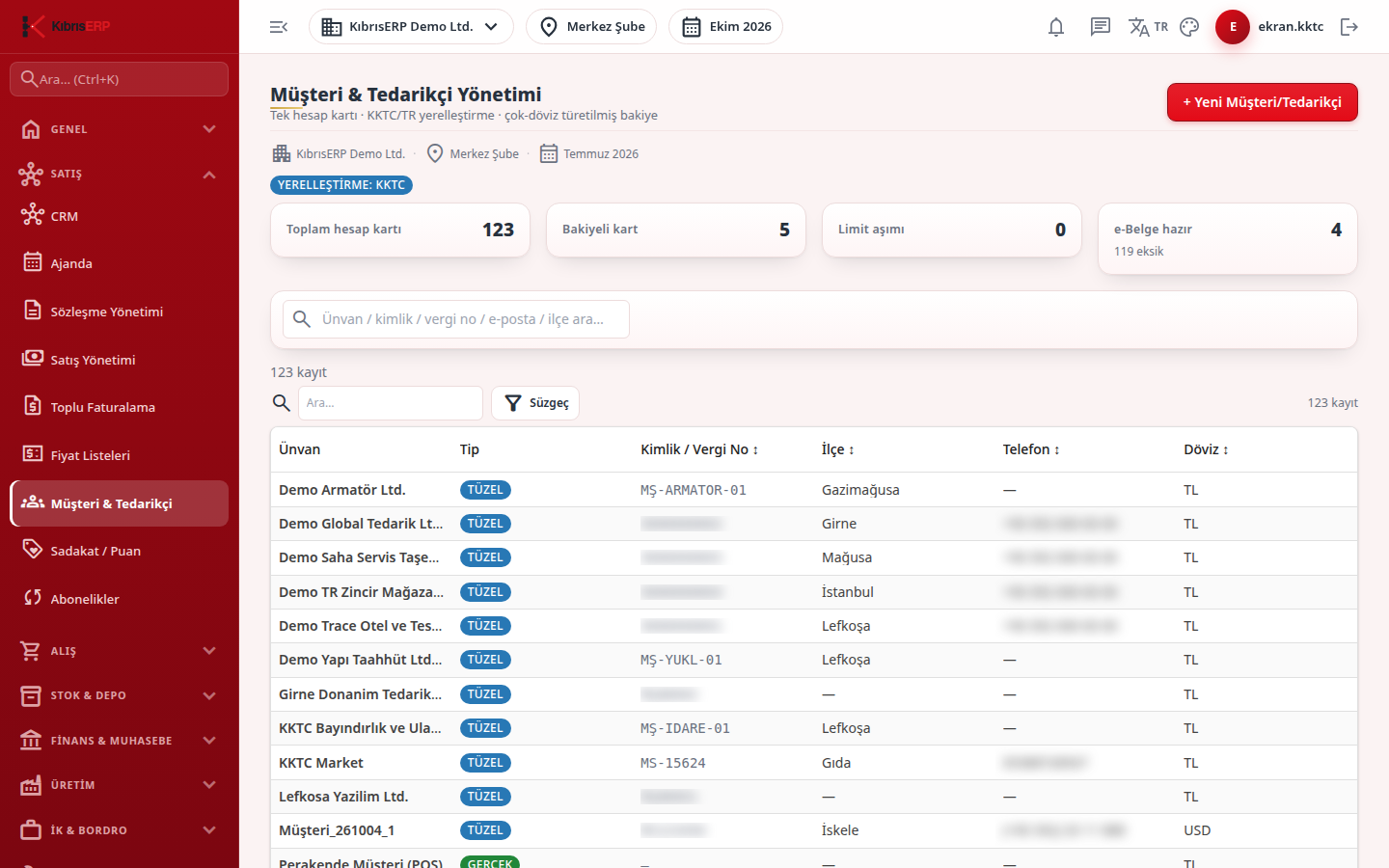
Section titled “Screens”- Summary tiles: total account cards, cards with a balance, limit exceeded, and e-document ready (with the number still missing information); a badge shows the active localization.
- Search and list: search by name, ID, tax number, e-mail or district; the title column opens the card.
- New customer/supplier (+ Yeni Müşteri/Tedarikçi): start a card from the General tab.
- Card header: Edit, Delete, privacy export and back to list.
- Actions strip (İşlemler): shortcuts to create a quote or order, collect, pay, open the statement or send an e-invoice for the selected account.
Typical workflow
Section titled “Typical workflow”- Open Customers & Suppliers and check the summary tiles.
- Search for an existing card, or create a new one from the General tab.
- Open the card and use the actions strip to quote, collect or pay.
Related modules
Section titled “Related modules”Step-by-step screen guides are currently available in Turkish; the links above open them.