

Agenda
What it is for
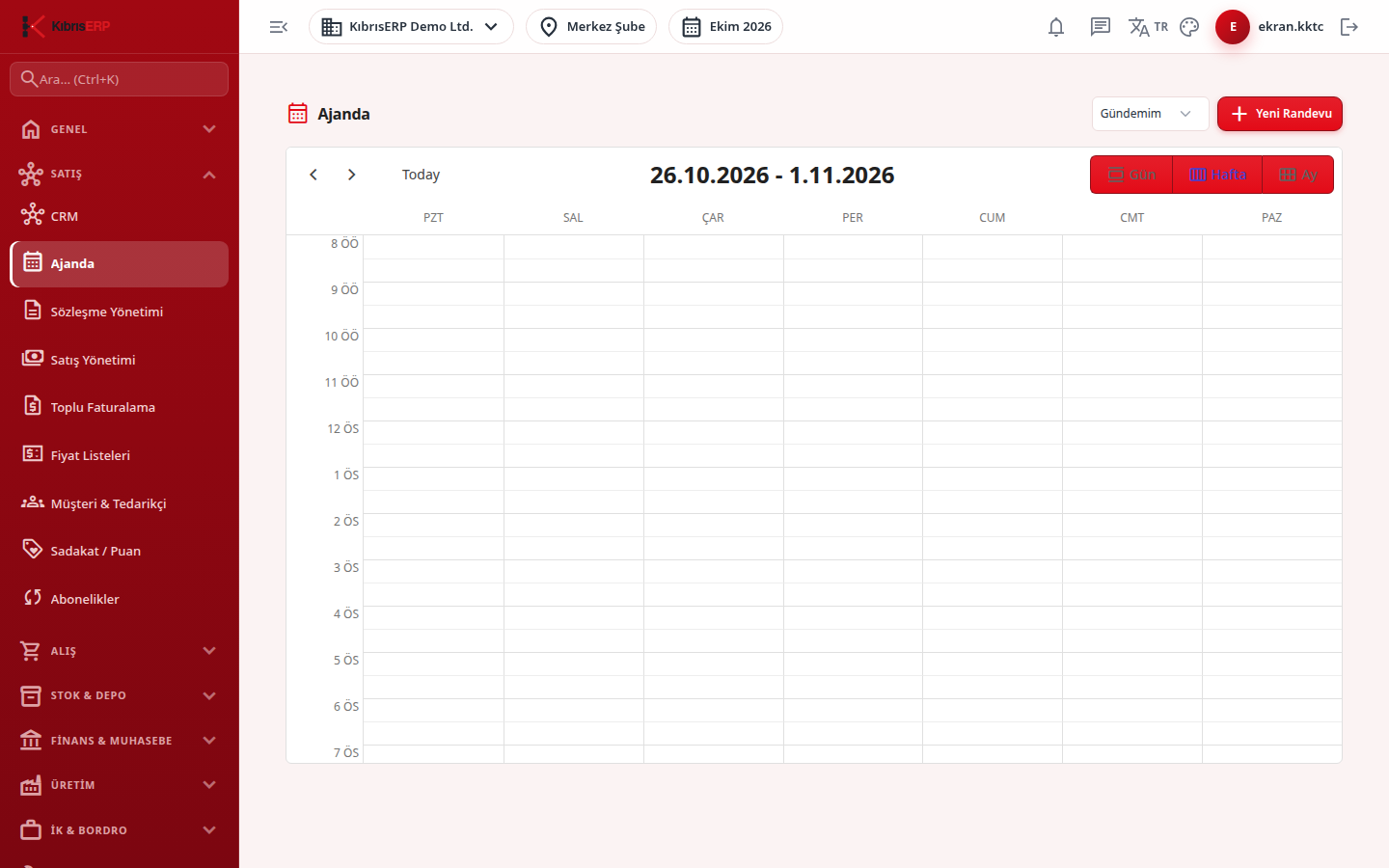
Section titled “What it is for”Agenda (Ajanda) shows your customer meetings, calls and tasks as timed appointments on a calendar. Every appointment is a CRM activity, so a record added here also appears in the CRM activities list. The calendar opens in Day, Week or Month view (default: Week).
Who uses it
Section titled “Who uses it”Sales representatives, customer relations staff and managers. Access comes from the CRM row under role page permissions: View shows the calendar, Add is needed to create and change appointments, and Delete to remove them.
Screens
Section titled “Screens”- Scope selector (Gündemim / Tüm Firma): show only appointments you are responsible for, or the whole company.
- Calendar views (Gün, Hafta, Ay): switch between day, week and month; completed appointments are shown in a faded green.
- New appointment (Yeni Randevu): a side form with subject, type (meeting, call, task), start and end time, place, customer, owner and notes.
- Edit appointment (Randevu Düzenle): open an existing appointment, mark it Completed (Tamamlandı) or delete it; deleting asks no confirmation.
Typical workflow
Section titled “Typical workflow”- Open Agenda and choose your scope.
- Click New Appointment or an empty time slot on the calendar.
- Fill in the form and save.
- Open the appointment later to mark it completed.
Related modules
Section titled “Related modules”Step-by-step screen guides are currently available in Turkish; the links above open them.