

Price Lists
What it is for
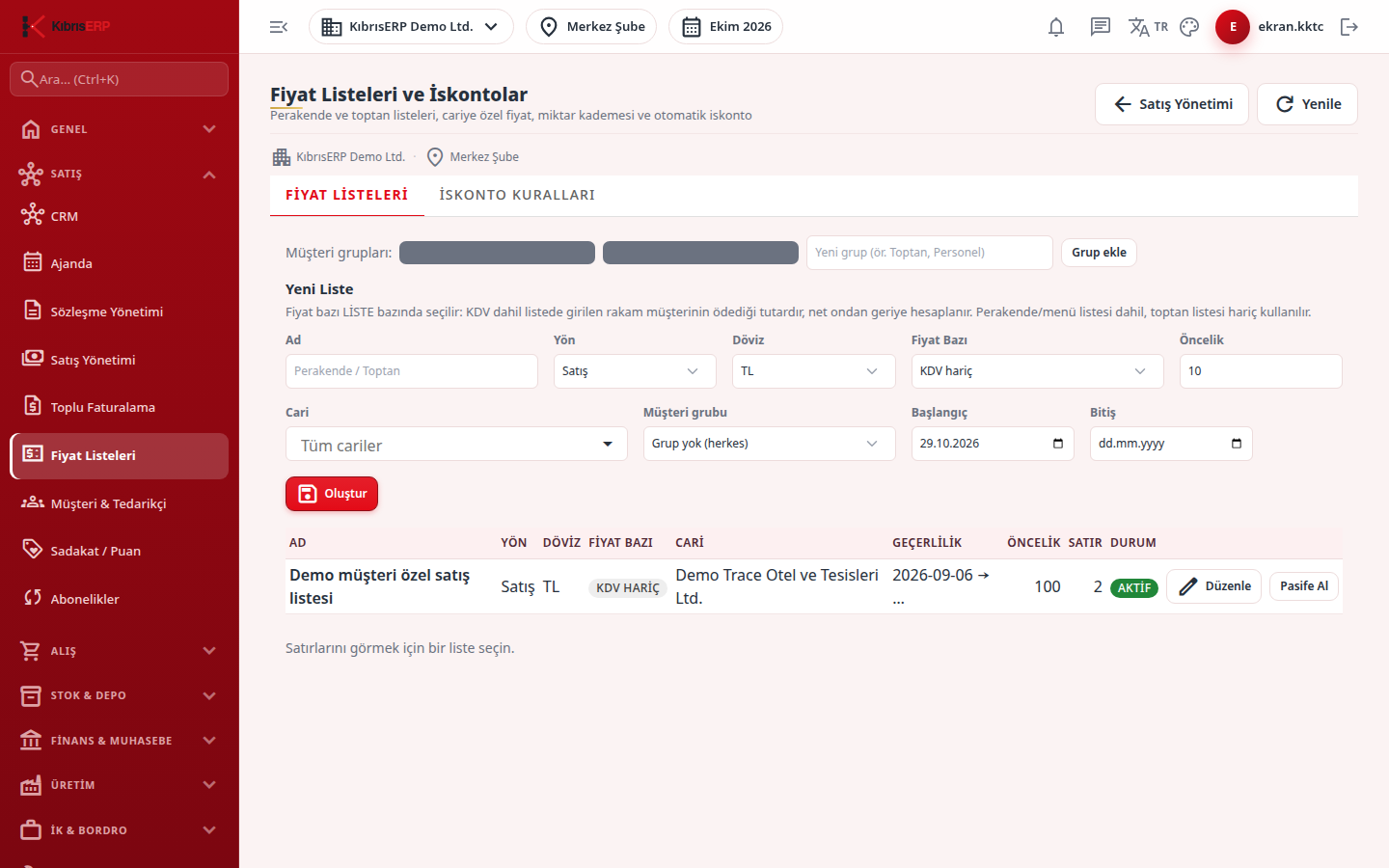
Section titled “What it is for”Price Lists & Discounts manages the records that automatically decide the unit price and discount of a line in sales (and purchase) documents. It has two tabs: Price Lists (by product or category, tiered prices) and Discount Rules (conditional percentage discounts).
When Auto Price is ticked on a document line, the price is resolved this way:
- Active lists valid for the direction (sales/purchase), the document currency and the document date become candidates.
- Among the candidates, a row matching the line’s product (or category) and quantity is looked for; the tier with the highest Minimum Quantity threshold is chosen.
- On a tie, the order of specificity applies: account-specific list, customer-group list, general list; product row before category row; company-specific list; higher Priority; newer Start.
- If no list row matches, the price on the product card is used (only when the card’s currency equals the document currency; otherwise the price comes as zero and you enter it by hand).
- Discount Rules are applied on top of the price; rules are not added together, and the single most specific matching rule applies.
The document keeps the resolved price and discount in its record; an old document is not recalculated if a list changes later.
Who uses it
Section titled “Who uses it”The sales manager. The Documents page permissions are used: View (list), Edit (add, edit, deactivate lists, rules and rows) and Delete (delete list rows).
Screens
Section titled “Screens”- Price Lists (Fiyat Listeleri): customer groups, list definition and list rows (tiered price).
- Discount Rules (İskonto Kuralları): percentage discount rules conditional on quantity or amount.
Typical workflow
Section titled “Typical workflow”- Define the list (and a customer group if needed) and add rows to the list.
- Add a discount rule if you wish.
- When creating a document on the New Document screen, tick Auto Price.
Related modules
Section titled “Related modules”Step-by-step screen guides are currently available in Turkish; the links above open them.