

Restaurant Reports
What it is for
Section titled “What it is for”Restaurant Reports gathers the active branch’s daily situation and analysis reports on one page: today’s indicators, the end-of-shift Z report, closed checks and refunds, the waste list, and sales, cost, staff and busyness reports. Each tab fetches its data when it is opened; they do not all run when the page opens.
The scope is always the active branch. A multi-branch user too sees only the figures of the branch shown on screen. To read all branches together, use the central report screen.
Who uses it
Section titled “Who uses it”The business manager, the cash officer and accounting. View on the Restaurant / Order page of the role screen is needed to see the page. End of day (Z), analysis reports and the daily sales indicator also need View on the Restaurant Reports page; without it the Dashboard shows “You do not have permission for this action” instead of the daily sales card, and the End of Day / Z and report tabs are not shown at all.
Screens
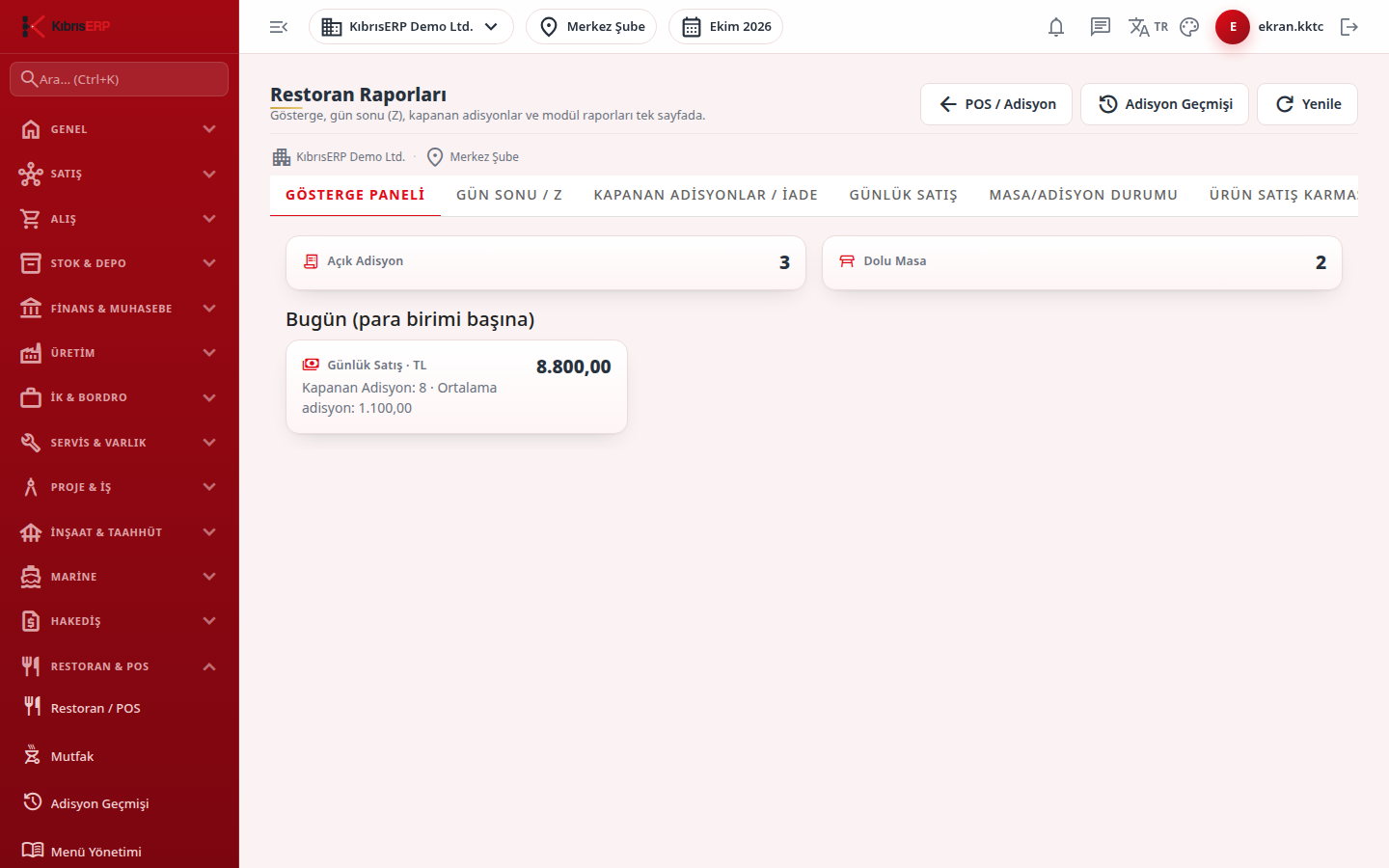
Section titled “Screens”- Dashboard (Gösterge Paneli): open checks, occupied tables, today’s sales per currency.
- End of Day / Z (Gün Sonu / Z): shift status and Z report.
- Closed Checks / Refund (Kapanan Adisyonlar / İade): the day’s closed checks and refunds after payment.
- Catalog report tabs: Daily Sales, Table / Check Status, Product Sales Mix, Kitchen Delay, Cancellations, Delivery Courier Performance, Food Cost / Product Profitability, Theoretical vs Actual Consumption Variance, Waiter Performance, Hourly Busyness Analysis, Table Turnover / Seating Time, Campaign Detail and Stamp Card Report.
- Waste (Fire / Zayiat): the waste list and waste cost report.
- Refresh reloads only the open tab, and the Check History button goes to the screen where past checks are searched.
Related modules
Section titled “Related modules”Step-by-step screen guides are currently available in Turkish; the links above open them.