

Marine Orders
What it is for
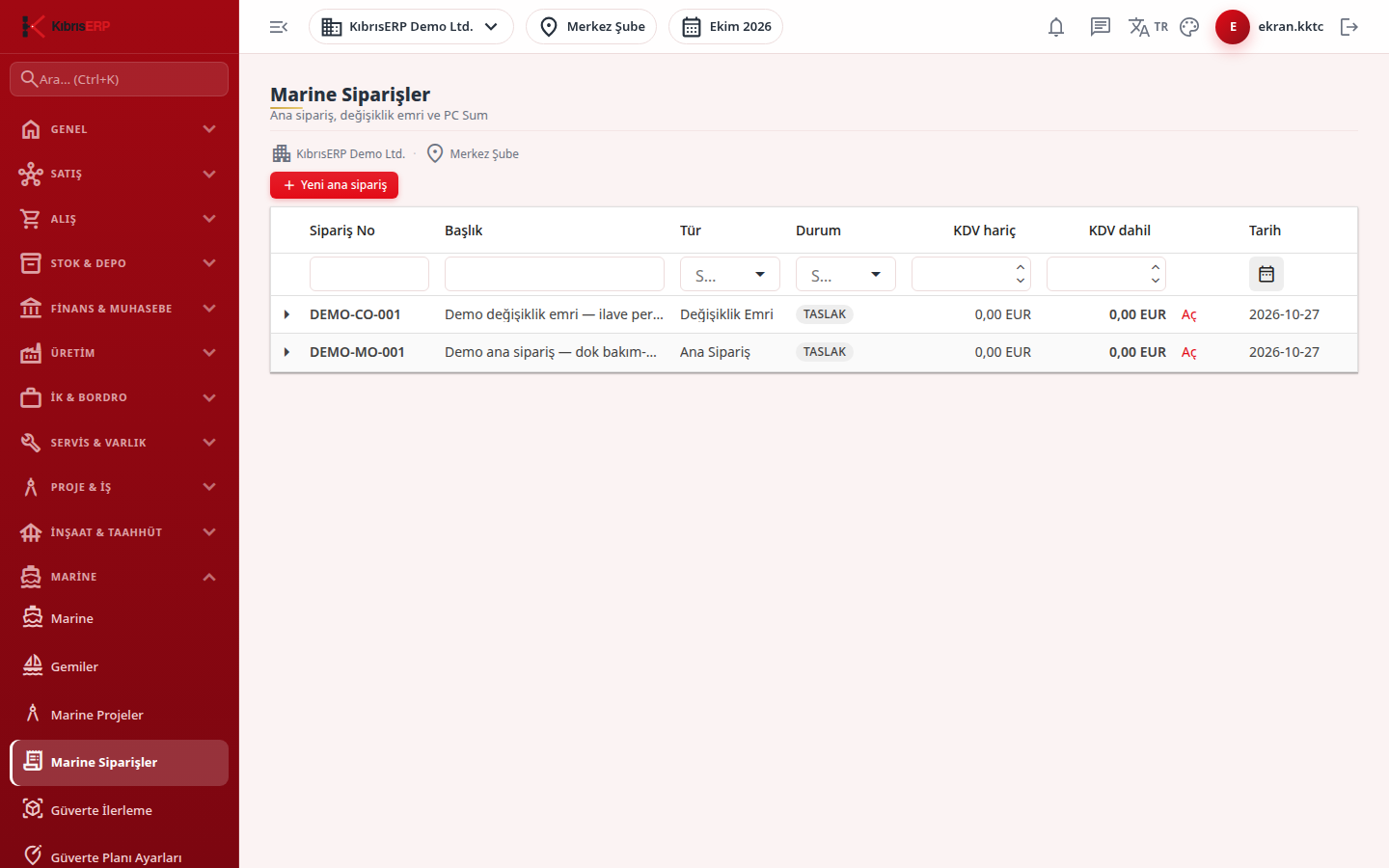
Section titled “What it is for”Marine Orders manages the commercial contract value of a shipyard project with three order types:
- Master Order: the main work items and value of the project. A project has only one master order.
- Change Order (CO): extra work that increases or decreases the value of an approved master order. On approval, the master order’s revised contract value is updated.
- Provisional Sum (PC Sum): an allowance for work whose value is not yet known. A PC Sum does not go directly into a claim; it is used by drawing it into an evidenced change order (Draw to CO).
Approved orders are the basis of progress claims and cost tracking.
Who uses it
Section titled “Who uses it”The sales / project office (order entry) and the manager (approval). On the Marine page of the role screen View, Add (new order), Edit (item entry, submit for approval, return to draft, cancel) and Approve (approve, reject, close) are checked separately.
Screens
Section titled “Screens”- Orders list: expand a row to see its items; open the order with Open or by double-clicking. If you arrive from the Marine start page cards, a filter band shows at the top.
- New master order: project, title, order date, branch and currency, with optional customer account and contract.
- Item form: description, category, unit, quantity, unit price and VAT rate band; the table shows excl. VAT, VAT and incl. VAT for every line.
- Master order page links: Change orders (CO), PC Sum (provisional sum) and Claim terms and progress.
- New change order: choose the reason for change (owner / customer request, class requirement, flag state requirement, technical correction); the evidence work order and measurement / quantity reference are mandatory when drawing from a PC Sum.
Typical workflow
Section titled “Typical workflow”- Create the master order, enter the items and press Submit for approval; the product checks date, branch, currency, VAT rates and items, and the order becomes Submitted.
- A different user with Approve permission approves or rejects it. Four-eyes: whoever created a master order or change order cannot approve it.
- On approval the VAT rates and the TL rate are fixed on the order, the approved value is written and a committed cost record is created per item.
- During the work use change orders and PC Sums and enter claim terms and progress.
- When the work is done, close the order with Approve permission; it cannot be closed while a linked order is draft or awaiting approval.
Related modules
Section titled “Related modules”Step-by-step screen guides are currently available in Turkish; the links above open them.