

Kitchen
What it is for
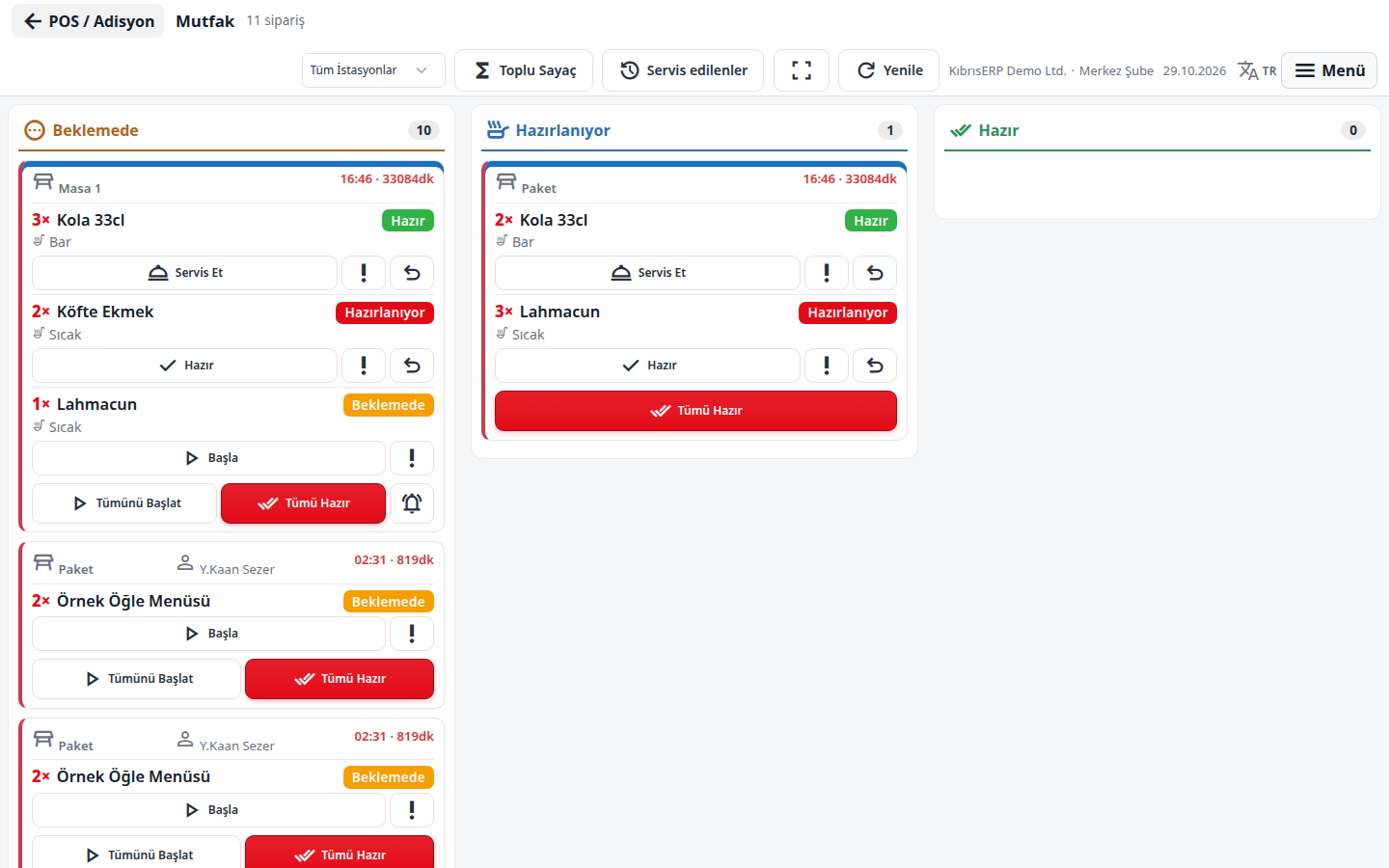
Section titled “What it is for”Kitchen (Mutfak) is the kitchen screen (KDS) that shows the orders waiters send from the order screen as ticket cards. Cards flow in three columns: Pending, Preparing and Ready. The cook takes a line into preparation with Start, marks it Ready, and when the waiter has delivered it you press Serve. As waiting time grows the card edge turns yellow, then red; a sound alert can play when a new order arrives. The screen updates live.
Who uses it
Section titled “Who uses it”The cook, the head chef and the station officer. On the Restaurant / Order page of the role screen, View opens the screen; Edit is needed to advance a line, mark Urgent, Undo and Call Waiter (Ready).
Screens
Section titled “Screens”- Top bar: Full screen, and if stations exist a station list (All Stations) so you can show only your own department; the title shows the number of pending orders.
- Three columns of cards: each card shows table (or Takeaway), waiter, time sent to the kitchen, lines, portions, set-menu contents, extras and line notes.
- Line buttons: Start, Ready, Serve; Start All, All Ready, Serve All act on all lines of a card.
- Urgent marks an urgent order and Undo returns a line to its previous state.
- Call Waiter (Ready): tells the waiter on a table order that the food is ready.
- Bulk Counter (Toplu Sayaç): total pending quantity by product across open checks. Served (Servis edilenler): items served in the last hour.
If the browser blocks sound, a warning asks you to touch the screen once.
Related modules
Section titled “Related modules”Step-by-step screen guides are currently available in Turkish; the links above open them.