

System Settings
What it is for
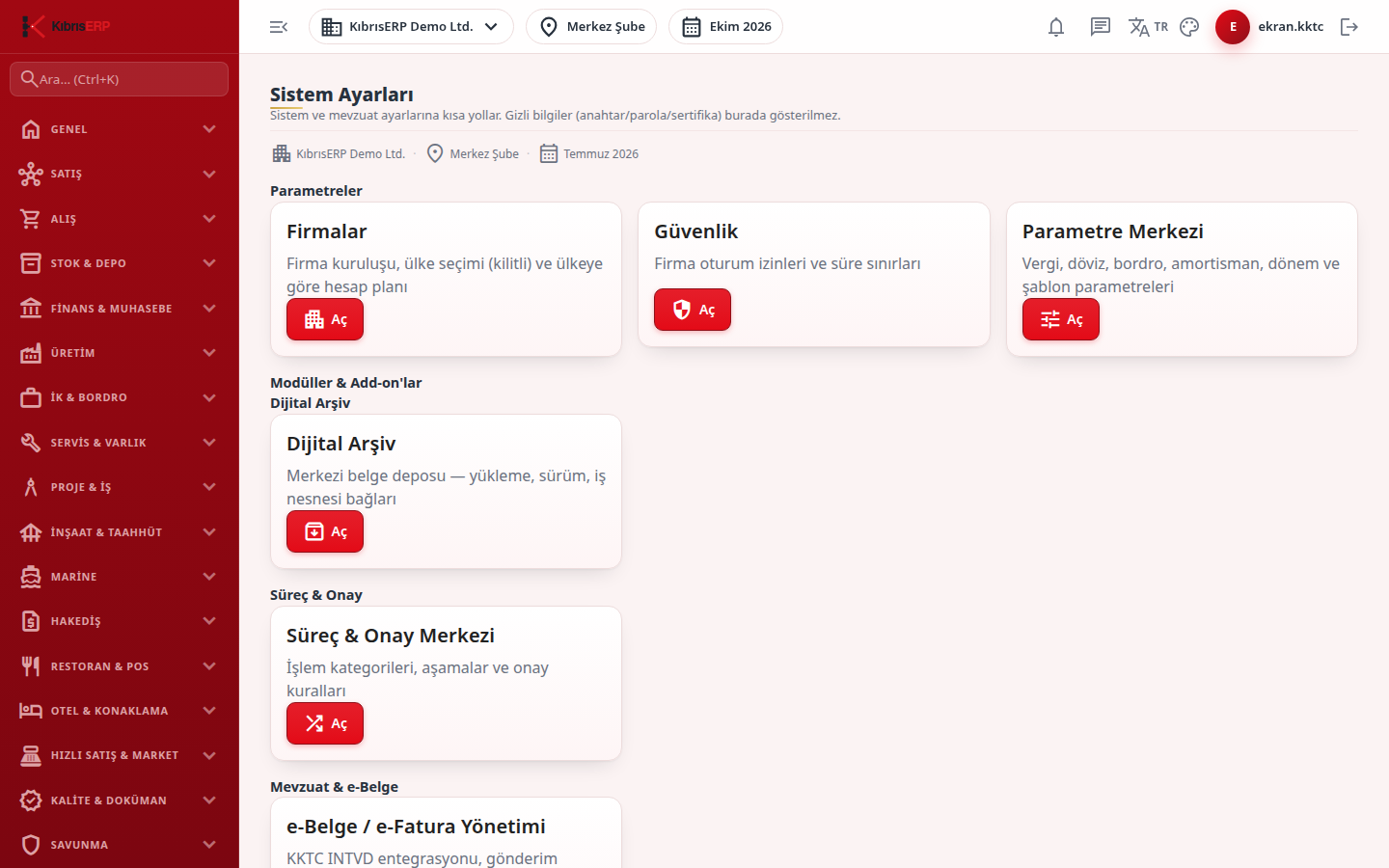
Section titled “What it is for”System Settings (Sistem Ayarları) is an entry screen made of cards that lead to system and legislation settings. No setting is made here; each card opens the related settings screen. Secrets (keys, passwords, certificates) are not shown on this screen.
Who uses it
Section titled “Who uses it”Administrators and users with View on the Settings page. The screen each card opens also asks for its own permission.
Screens
Section titled “Screens”- Parameters group: Companies & Licensing, Security and Parameter Center (see Related modules).
- Digital Archive group: Digital Archive and Archive Settings.
- Process & Approval group: Process & Approval Center.
- Legislation & E-Document group: E-Document / E-Invoice Management.
Press Open on the card of the group you need.
Related modules
Section titled “Related modules”- Companies & Licensing
- Parameters
- Security
- Users
- Roles
- Digital Archive
- Archive Settings
- Process Center
- E-Invoice
Step-by-step screen guides are currently available in Turkish; the links above open them.