

Fixed Assets
What it is for
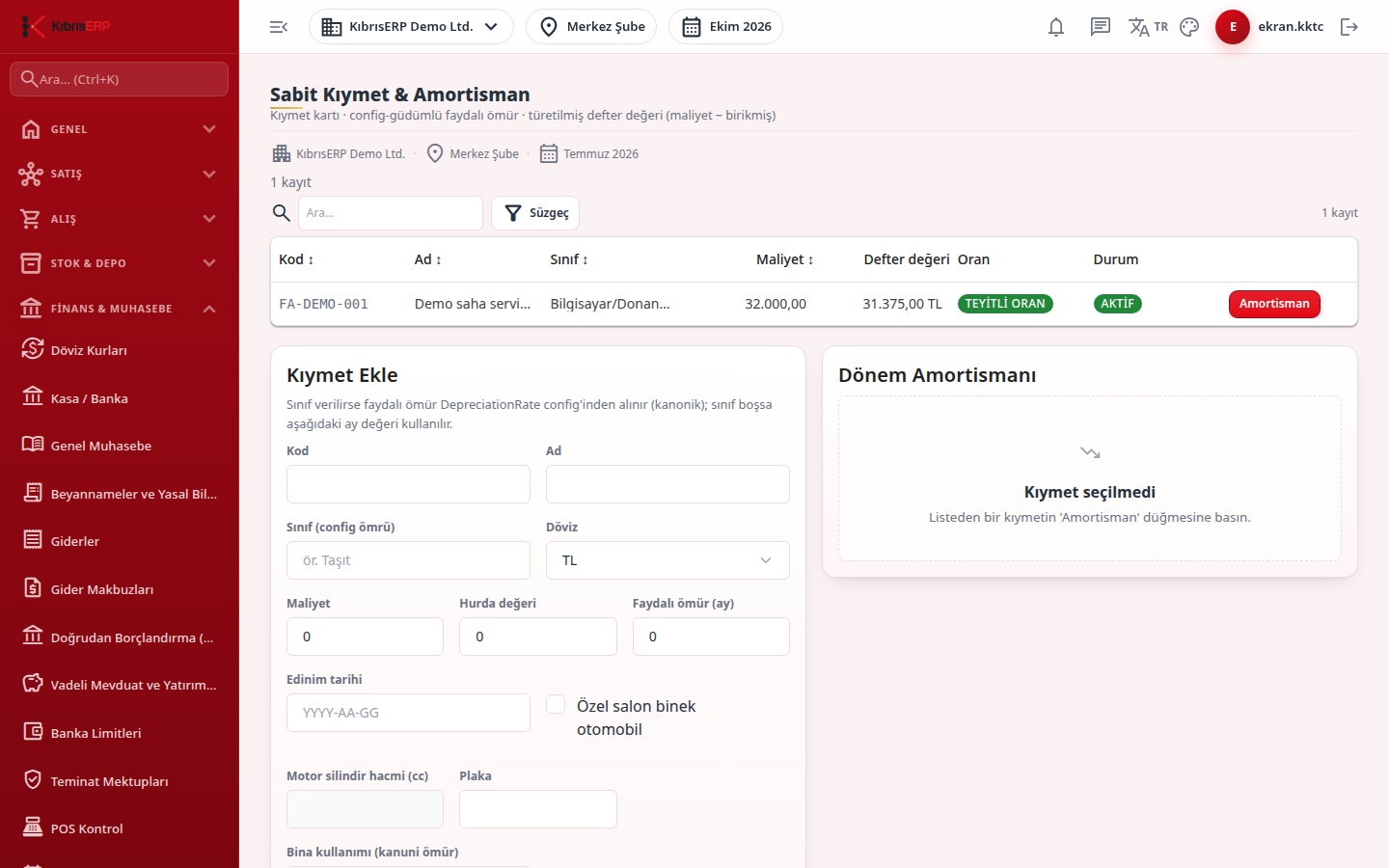
Section titled “What it is for”Fixed Assets & Depreciation (Sabit Kıymet & Amortisman) keeps the company’s furniture, vehicles, buildings and similar assets as cards. For each asset it posts monthly depreciation (the journal entry is created automatically), calculates the book value (cost minus accumulated depreciation) and removes the asset from the books by sale, scrap or donation. The same page also has creating cards from a posted purchase invoice, a period depreciation run for all assets at once, and a book value to trial balance reconciliation. The Depreciation Rates (parameter) card at the bottom keeps useful lives per asset class as dated rows.
In North Cyprus the vehicle expense restriction, the limit under which a low-value asset is expensed directly, the investment allowance threshold and rates, and the statutory lives of buildings are read from the dated, verified rows in Settings › Parameters › Depreciation › Fixed asset tax rules. If there is no single verified row for the date, nothing is calculated. For a vehicle, tick Private saloon passenger car and enter engine capacity and plate; for a building choose Residence or Business premises as building use. The card stores the tax rule in force when it was saved, so an old card is not recalculated if the rule later changes. For a low-value asset the card shows Write directly to expense; several lines of the same item count as one whole and can be expensed together with Add to the whole.
Who uses it
Section titled “Who uses it”Accounting and finance staff. View on the Fixed Assets page shows the screen, Add creates cards and posts depreciation, Edit changes a card and Delete removes one (Settings › Roles).
Screens
Section titled “Screens”- Asset list: code, class, book value, rate (with verification status) and status.
- Add Asset (Kıymet Ekle): code, name, class, currency, cost, scrap value, useful life in months and acquisition date.
- Period Depreciation card: type the month and press Post depreciation; the entry is financial and cannot be undone. Useful life, class and method cannot be changed once depreciation has started.
- Period depreciation run: runs a month for all assets and reports how many were posted, skipped and rejected.
- Activate from purchase invoice: lists pending fixed-asset lines of an approved invoice and creates the cards.
- Disposal: date, sale price and type (sale, scrap, donation).
- Book value to trial balance reconciliation: pick a cut-off date; any difference is flagged for investigation.
- Depreciation Rates (parameter): asset class, valid-from date and useful life in months.
Related modules
Section titled “Related modules”Step-by-step screen guides are currently available in Turkish; the links above open them.