

Direct debit (DBS)
What it is for
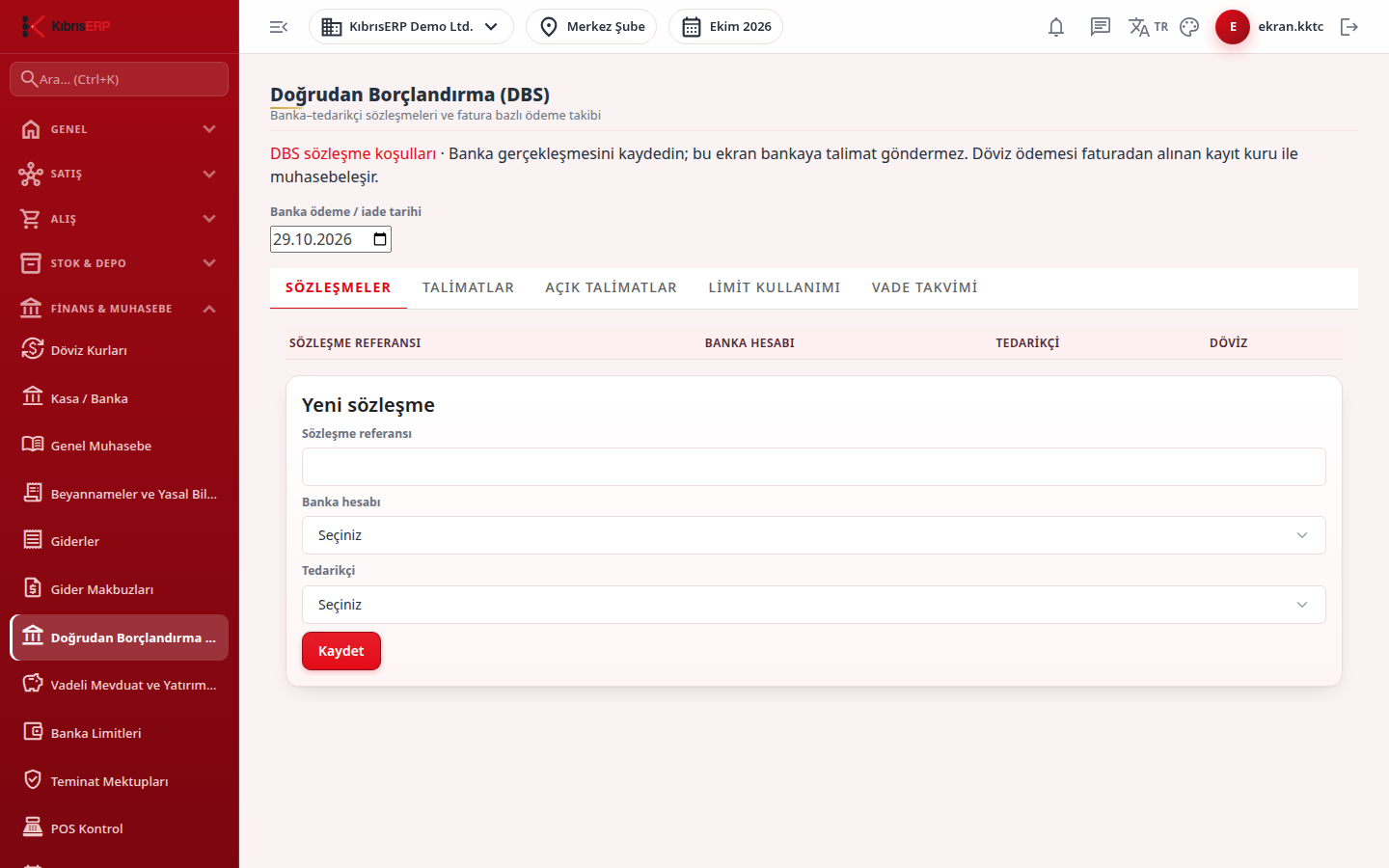
Section titled “What it is for”Direct Debit System (DBS) (Doğrudan Borçlandırma (DBS)) keeps the DBS agreements between your bank and a supplier, and the payment instructions of the purchase invoices linked to them. Each instruction reserves one approved purchase invoice, uses the agreement limit and closes on the due date with the bank payment. The screen does not send instructions to the bank; you record the payment the bank made.
DBS works only for North Cyprus companies and branches. A company without a North Cyprus branch cannot open the screen.
Who uses it
Section titled “Who uses it”Finance and purchasing payment staff. Permission is on the Cash & Bank page of the role screen: View (screen), Add (enter agreements and instructions), Approve (record the bank payment, reverse or refund it), Delete (cancel a pending instruction).
Screens
Section titled “Screens”- Agreements (Sözleşmeler): agreement list and new agreement.
- Instructions (Talimatlar): all instructions and a new instruction from a purchase invoice.
- Open instructions (Açık talimatlar): pending instructions; record due ones in bulk.
- Limit usage (Limit kullanımı): agreement limit, used and remaining.
- Due calendar (Vade takvimi): pending instructions by due day.
Typical workflow
Section titled “Typical workflow”- Add the bank-supplier agreement.
- Add the dated limit and maximum term row for the agreement in Settings › Parameters (it must be verified).
- Create an instruction from a purchase invoice.
- Watch the due calendar, open instructions and limit usage as the due date approaches.
- When the bank has paid, record it with Record bank payment on Open instructions.
Related modules
Section titled “Related modules”Step-by-step screen guides are currently available in Turkish; the links above open them.