

Approval Delegations
What it is for
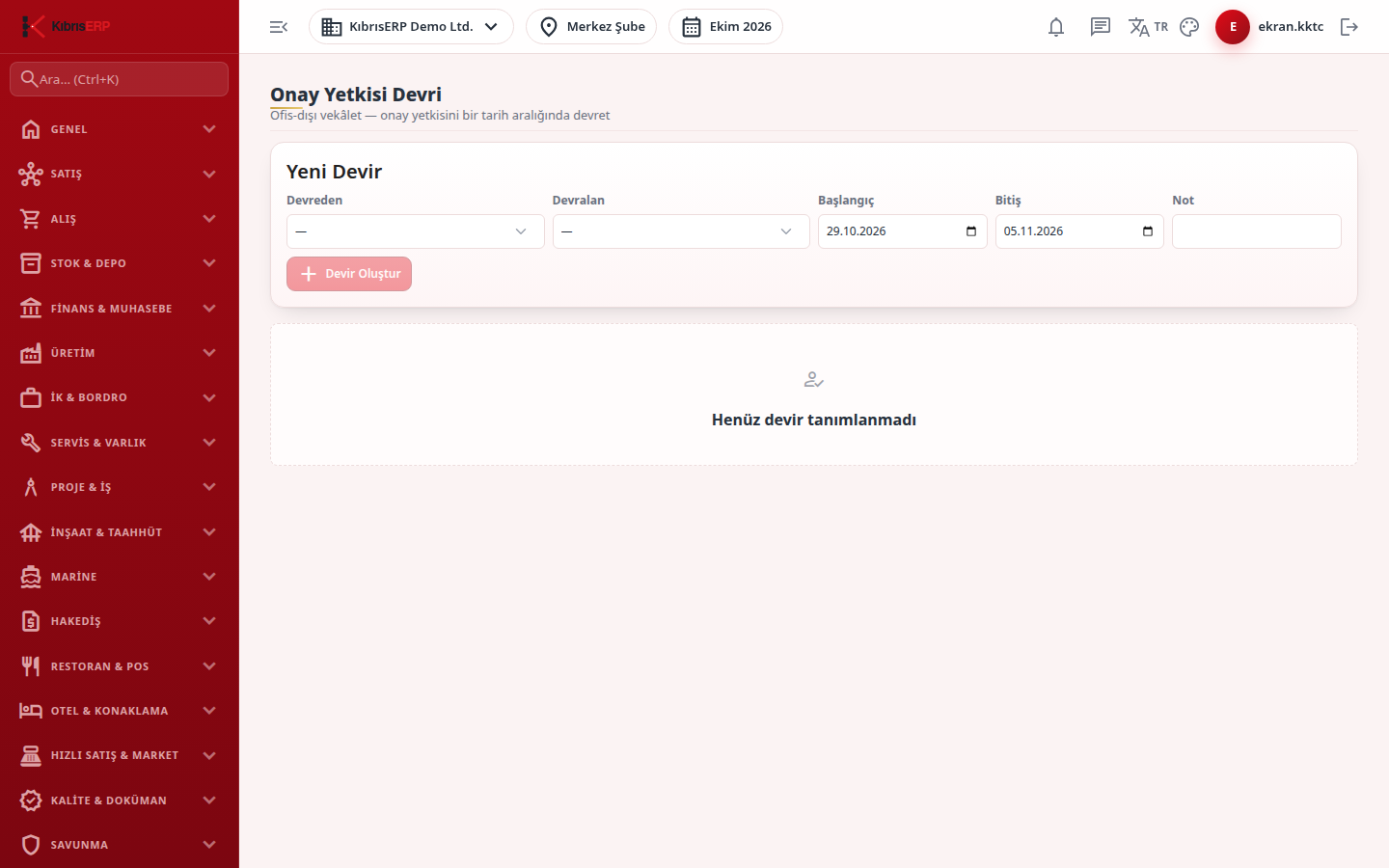
Section titled “What it is for”Approval Delegation (Onay Yetkisi Devri) lets you hand the approval authority of someone who is on leave or abroad to another user for a date range. The delegation ends on its end date, and you can end it early at any time with Cancel (İptal Et).
Who uses it
Section titled “Who uses it”Managers and users with View permission on the User Management page can see the list; creating and cancelling a delegation needs Edit on the same page, because delegation is treated as a user and permission topic.
Screens
Section titled “Screens”- New delegation (Yeni Devir): choose who delegates and who takes over, set start and end dates (default: today to seven days ahead) and an optional note.
- Delegation table: lists every delegation with a status of Active (Etkin), Planned (Planlı) or Cancelled (İptal), and a Cancel button to end one early.
Typical workflow
Section titled “Typical workflow”- Open Approval Delegation under Settings.
- Select the delegating and receiving users.
- Set the start and end dates and, if you wish, a note.
- Press Create Delegation (Devir Oluştur).
- Press Cancel on the row if the person returns early.
Related modules
Section titled “Related modules”Step-by-step screen guides are currently available in Turkish; the links above open them.