

Marine tax and evidence
What it is for
Section titled “What it is for”Marine Tax & Evidence collects in one screen the evidence that supports the tax exemptions of Marine invoices and free zone payroll. The dated rules in the Parameters tabs (VAT exemption, special consumption tax, free zone payroll incentive) are not enough on their own; in the relevant cases the evidence recorded on this screen and verified by a second person is also required.
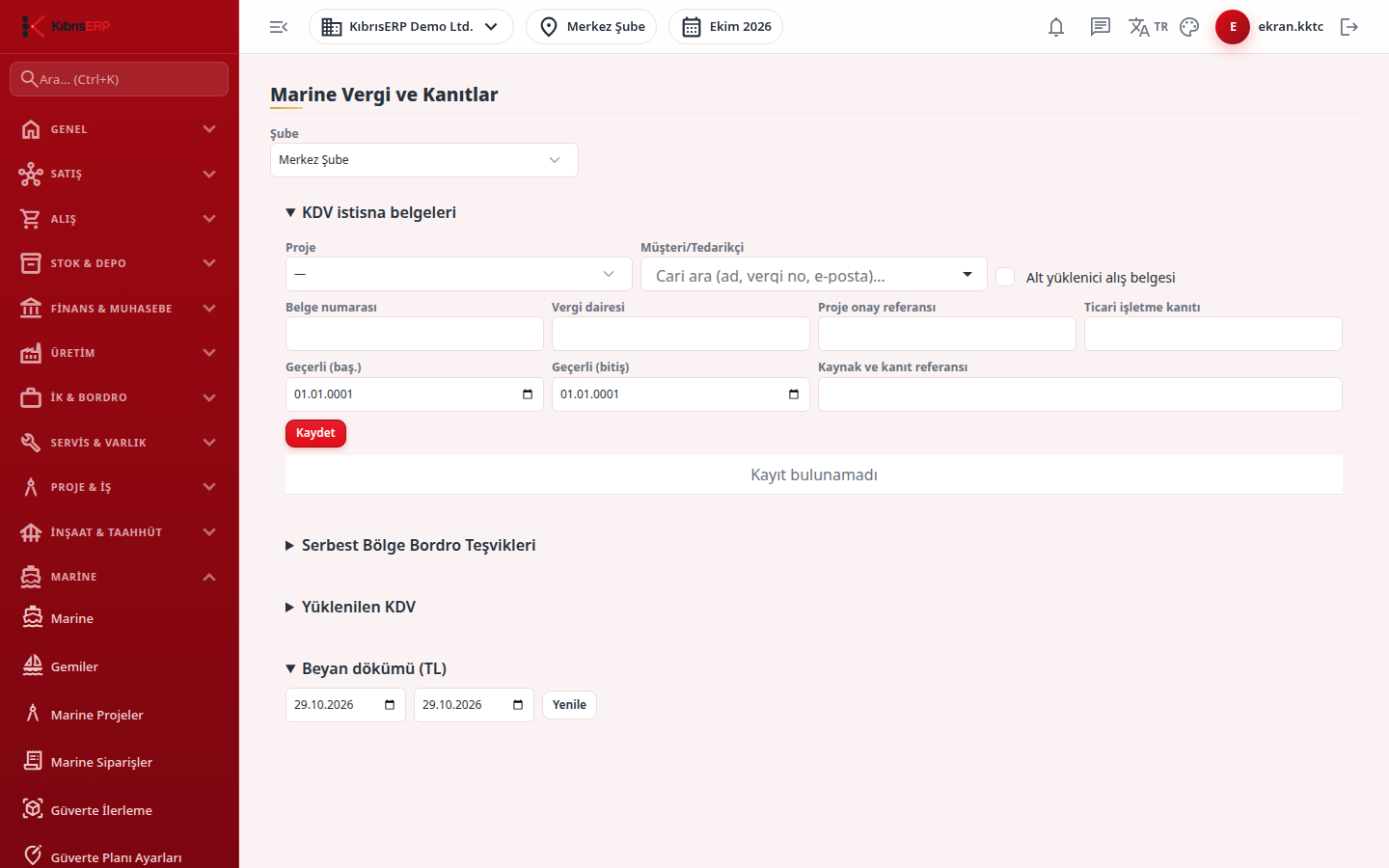
The screen has four sections:
- VAT exemption documents: an exemption document per project and account (or a subcontractor purchase document).
- Free Zone Payroll Incentives: the branch’s free zone payroll gate, the monthly production license and the FOB export evidence.
- Loaded VAT: allocation of the VAT on a purchase invoice line to an exempt sales line, and export for the VAT refund list.
- Declaration breakdown (TL): a breakdown compiled for the chosen date range from the tax information stamped on invoices at the moment they were recorded.
In the end-to-end flow this screen is the tax background of the invoices cut with Marine Orders and Marine Claims. The rule and rate used when the invoice was cut are stored on the invoice; adding a new parameter period later does not recalculate a cut invoice.
The declaration breakdown takes its table and code choice from the parameter evidence stamped on the invoice line; the North Cyprus form is not derived from Türkiye codes. No section is hidden by country on this screen; the revenue-authority-template export, the special consumption tax (tariff code) breakdown and the free zone payroll section also appear in a North Cyprus branch.
Who uses it
Section titled “Who uses it”Finance, accounting and payroll staff. On the role screen:
- To see the screen: View on the Marine page.
- To add a document or evidence: Add on Marine; to verify the evidence: Approve.
- To see the free zone section: View on Human Resources; to save, also Add on Marine and Edit on Human Resources.
- To see the loaded VAT section: View on Documents; to allocate, Edit on both Marine and Documents; to export to the template, Export on both.
- The declaration breakdown shows the relevant tables according to View on either Documents or Human Resources.
The person who enters evidence cannot verify the same evidence; the verifier must be a second user.
Screens
Section titled “Screens”- Branch selector: the sections show this branch’s records.
- VAT exemption documents: project, account, document number, tax office, project approval reference, commercial enterprise evidence, validity dates and source reference; a box for a subcontractor purchase document. The document appears as Draft until another user presses verified.
- Free Zone Payroll Incentives: the branch gate box (it cannot be switched off once a payroll with the incentive has been produced), then for each payroll month the production license number, license dates, annual cumulative production FOB and export FOB, and the source reference; a second user verifies the evidence. Income tax is deferred if the FOB export rate in the parameter is met, otherwise it stays payable in cash with a payroll warning; the stamp duty exemption follows the parameter rate.
- Loaded VAT: pick the source purchase line and the target exempt sales line to allocate, and choose the current loaded-VAT template file (.xlsx) downloaded from the authority for export.
- Declaration breakdown (TL): choose the dates and press Refresh; the declaration table, declaration code and base amounts show according to your permissions.
Related modules
Section titled “Related modules”Step-by-step screen guides are currently available in Turkish; the links above open them.